Best settings for this AI image prompt
Aspect ratios4:5, 3:4, 2:3
Best modelsChatGPT image generation
Portrait prompt
Copy a curated Dreamy Underwater Fashion Portrait Prompt for ChatGPT image generation with examples, negative prompt and practical tips.
Copy the Dreamy Underwater Fashion Portrait instructions, then tune dreamy underwater fashion editorial and soft blue underwater light rays only where your source image needs adjustment.
Create a dreamy underwater fashion portrait from the uploaded photo. Keep the face recognizable, add flowing fabric, soft blue light rays, floating bubbles, elegant movement, surreal calm expression, and premium editorial photography style. Use a vertical fashion editorial crop, graceful pose, natural facial proportions, realistic water refraction, soft skin texture, clean bubbles, and cinematic blue color grading.
These before-and-after examples show how a simple uploaded portrait can become an elegant underwater fashion editorial while preserving the main facial identity. The improved prompt adds flowing fabric, soft blue light rays, floating bubbles, graceful movement, and a calm premium campaign mood.
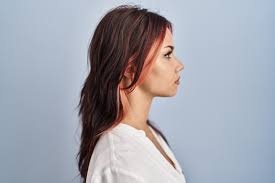
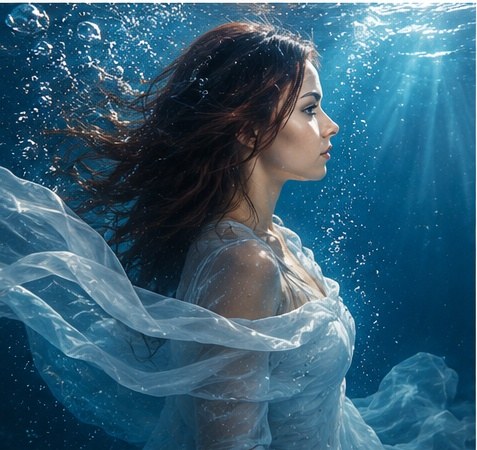
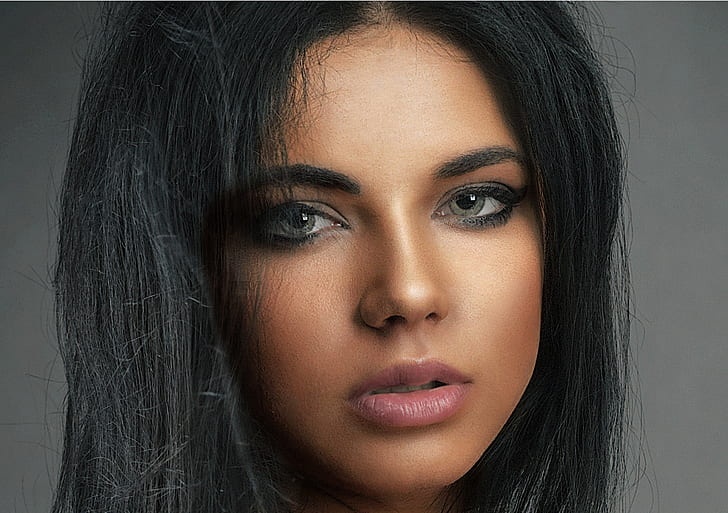
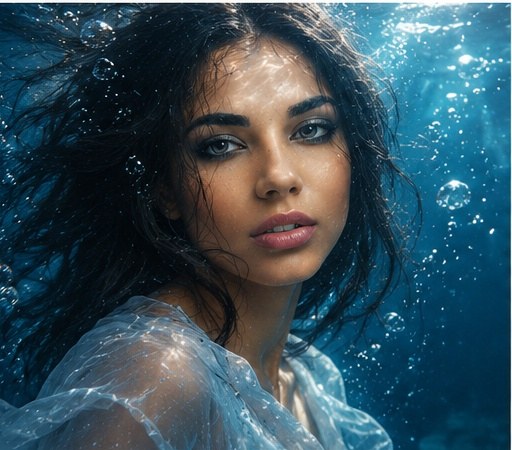
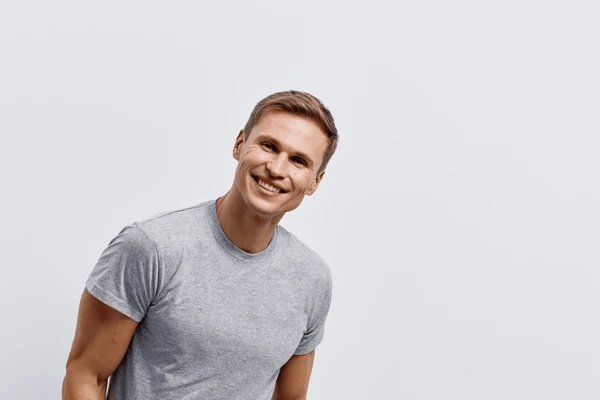
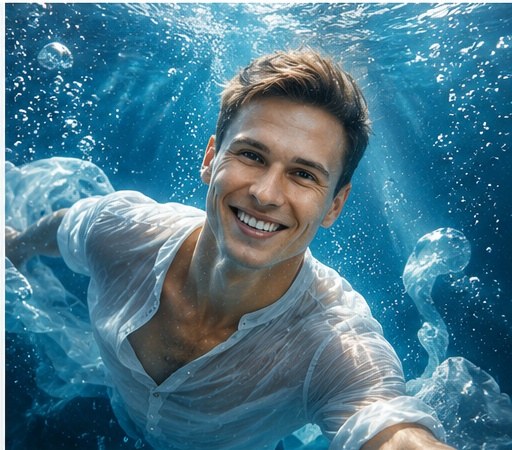
Make this person underwater and pretty.
Each Dreamy Underwater Fashion Portrait variation changes the finish or crop while retaining the core dreamy underwater fashion editorial direction.
Create a cinematic underwater fashion portrait from the uploaded photo. Keep the person recognizable, add dramatic blue light rays, flowing translucent fabric, floating bubbles, elegant slow-motion movement, realistic water refraction, and a polished editorial campaign mood.
Transform the uploaded portrait into a soft underwater beauty photo. Keep the face recognizable, use gentle blue light, calm expression, smooth floating hair, delicate bubbles, sheer fabric movement, natural skin detail, and a refined magazine portrait composition.
Create a surreal couture underwater portrait from the uploaded photo. Keep the facial identity recognizable, add sculptural flowing fabric, dreamlike bubbles, soft caustic light patterns, elegant pose, deep blue background, and premium fashion editorial styling.
Create a close-up underwater profile portrait from the uploaded photo. Preserve the person’s main facial features, add floating hair, soft blue light rays, small bubbles, calm expression, translucent fabric near the shoulders, and realistic editorial photography detail.
Turn the uploaded person into a luxury underwater fashion campaign portrait. Keep the face recognizable, add graceful movement, flowing designer fabric, luminous blue water, clean bubbles, cinematic highlights, and an elegant premium advertising composition.
For Dreamy Underwater Fashion Portrait, adjust one field per trial so changes to dreamy underwater fashion editorial remain distinguishable from changes to soft blue underwater light rays.
| Parameter | What to change | Expected effect | Example value |
|---|---|---|---|
| Subject or scene | Replace the main subject while keeping the prompt structure. | Changes the focal content without discarding the composition. | Dreamy Underwater Fashion Portrait |
| Visual style | Change the style phrase. | Moves the result toward a different material or art direction. | dreamy underwater fashion editorial |
| Lighting | Replace the lighting description. | Changes contrast, depth, color temperature and mood. | soft blue underwater light rays, luminous highlights, gentle caustics |
| Camera and composition | Adjust lens, angle, crop or focal point. | Changes perspective and the amount of environment in frame. | vertical editorial portrait, close-up or half-body crop |
| Output format | Choose an aspect ratio supported by your image tool. | Adapts the framing for a post, poster or landscape image. | 4:5, 3:4, 2:3 |
distorted face, changed identity, extra fingers, missing fingers, bad hands, crossed eyes, plastic skin, harsh flash, muddy water, cluttered background, random text, watermark, logo, blurry face, overexposed highlights, warped fabric
Yes. Upload a clear portrait and use this prompt to guide the result toward an underwater editorial look while keeping the face recognizable.
Use a sharp front-facing or three-quarter portrait, keep the identity instruction in the prompt, and avoid asking for an extreme fantasy face transformation.
Flowing fabric, controlled blue light rays, elegant movement, bubbles, calm expression, and a clean fashion-photo composition help the image feel like a premium campaign shot.
Use portraits with visible face structure, hair, shoulders, and simple clothing. Heavy filters, sunglasses, or cropped faces make identity preservation harder.
Yes. Replace the fabric color in the prompt with white silk, pale blue chiffon, silver organza, black couture fabric, or any color that fits your concept.
Yes. The negative prompt helps reduce distorted faces, warped fabric, messy hands, muddy water, random text, and unnatural lighting artifacts.
A vertical 4:5 or 3:4 crop usually works best for fashion portraits. Use 2:3 when you want more body movement and flowing fabric in the frame.
Yes. Keep the identity, fabric, underwater lighting, movement, and negative prompt ideas, then adjust model-specific settings such as aspect ratio and style strength.
Author: Image Prompt List Editorial Team. This is the site editorial team, not a fictional individual expert.
For Dreamy Underwater Fashion Portrait, editors checked the stored prompt and available examples for topic fit, pair order, captions, metadata, duplicates and unsupported claims. Formatting checks can be automated; this approval covers the documented dreamy underwater fashion editorial and soft blue underwater light rays evidence, not an unreported independent model rerun.
Last updated: May 26, 2026.
Read the editorial methodology or report an error.