This before/after example shows how a modern watch stock reference can become a luxury dark-marble product image.
What changed in this result
The edit isolates the product, strengthens metal and glass detail, adds dark marble, golden highlights, and controlled studio shadows.
Source note
Source reference photographer: Lucxama Sylvain. Original source page.
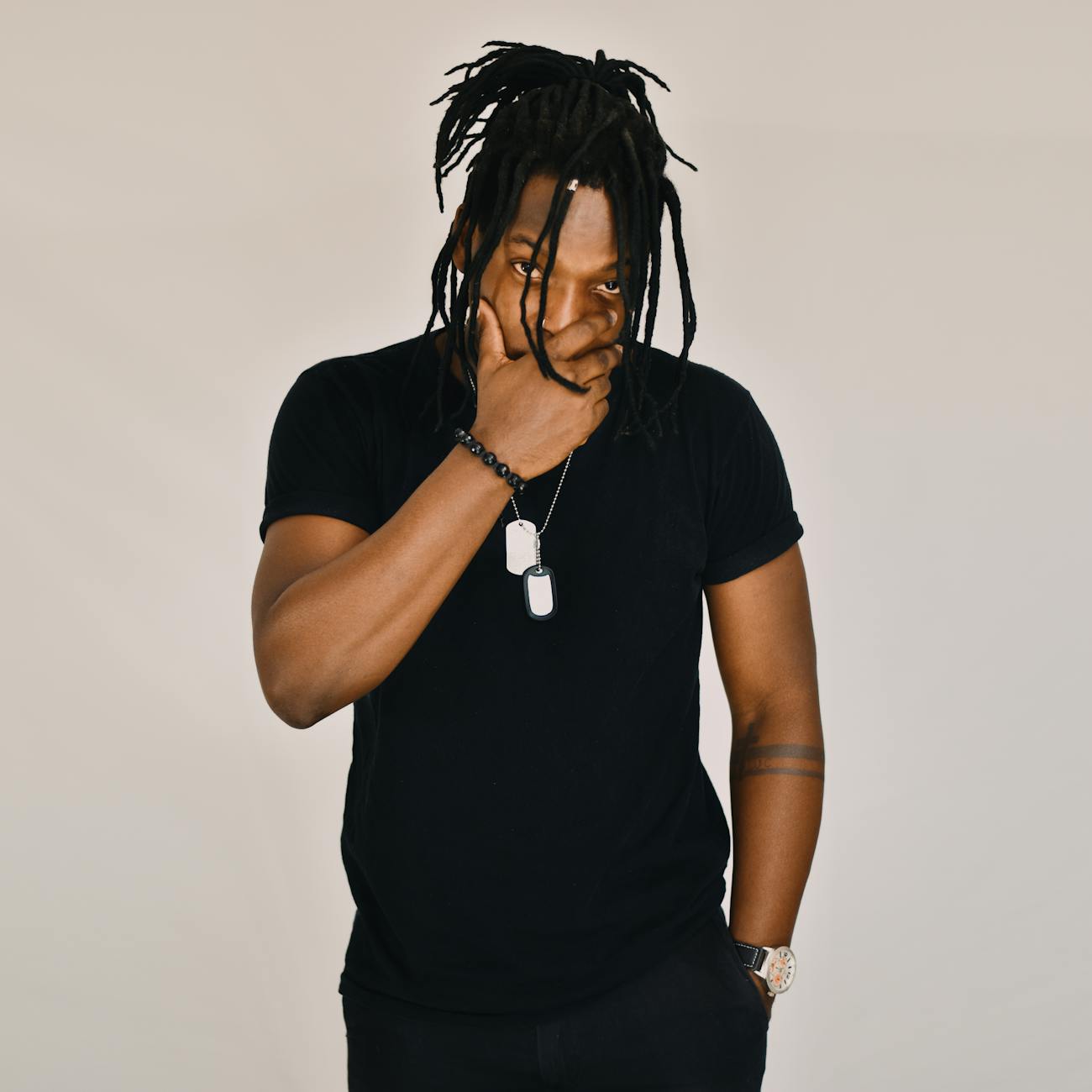
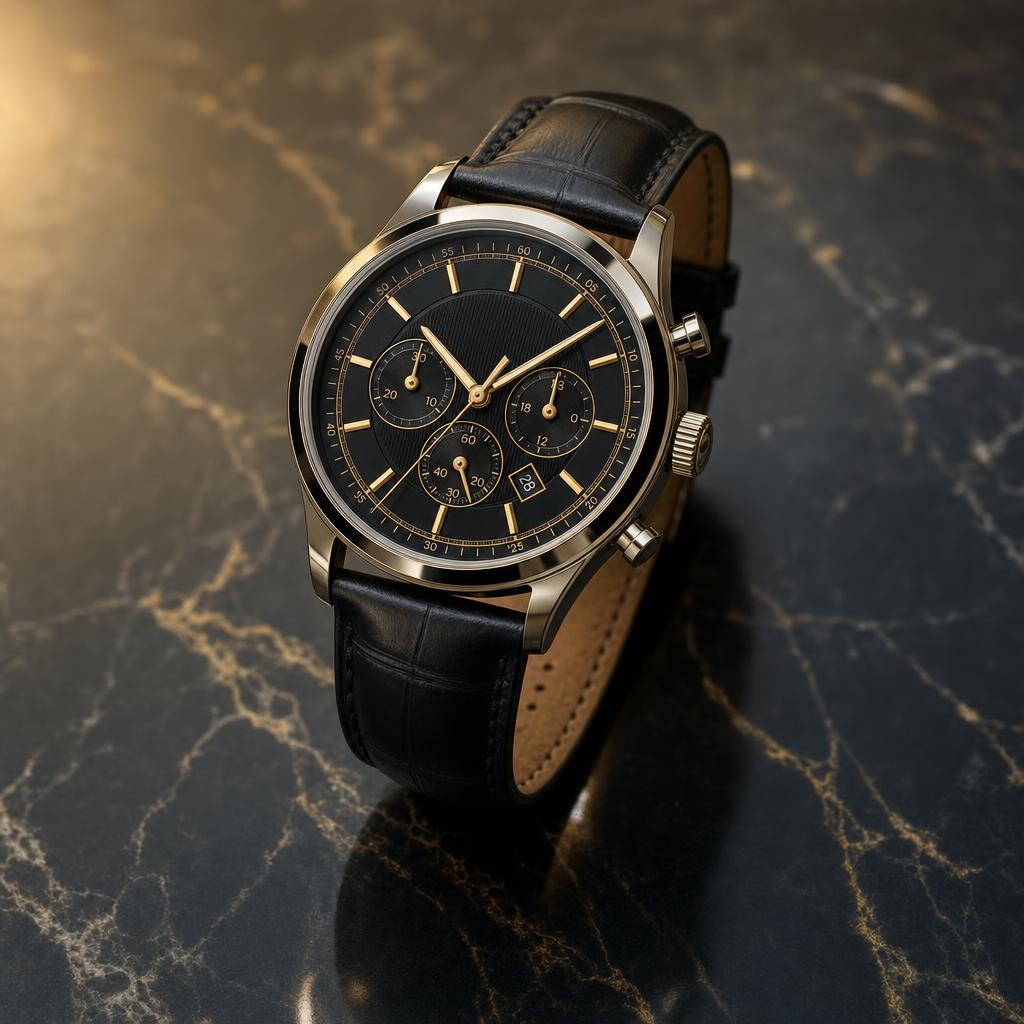
Modern stock source reference for Luxury Watch Dark Marble Product Prompt.
Transform the reference modern stock photo with an adult watch or wrist detail into a premium luxury wristwatch product photograph. Make the watch the clear centered subject on a dark marble surface, add polished metal, detailed dial, sapphire glass reflections, soft studio lighting, golden highlights, controlled shadows, diagonal marble texture, and clean advertising negative space.

Quality requirements: realistic photographic result, accurate lighting, believable shadows, coherent perspective, natural skin texture, clean composition, high resolution, no watermark.
Avoid: minor, child, teenager, explicit nudity, sexualized pose, violence, weapons, drugs, political symbols, hate symbols, distorted face, extra fingers, deformed hands, plastic skin, over-smoothed skin, unrealistic eyes, bad perspective, unreadable text, brand logos, watermark, low resolution, blurry, AI artifacts, warped watch face, wrong numbers, extra hands, cheap plastic metal, messy reflections, dust spots, unreadable brand text, duplicate watch, crooked dial, cluttered props
Analysis
The first result focuses on dial sharpness and clean marble layout.
What changed in the improved prompt
The improved prompt adds the details that image models need to make consistent decisions: a clearer subject, stronger style direction, camera or composition cues, lighting, background control and quality constraints. Instead of asking for a broad image, it explains what should stay recognizable and what should change in the final result.
Why the weak prompt fails
A weak prompt often fails because it asks for an outcome without describing the visual recipe. If the model is not told about pose, framing, materials, expression, shadows or the intended style, it may create a generic image, lose important identity details, distort hands or invent background elements that do not support the idea.
Prompt formula used here
Use this formula: uploaded image or subject reference + transformation goal + recognizable details to preserve + style and mood + lighting and camera + composition + quality constraints + negative prompt. This structure works for before and after AI prompts because it separates the creative change from the details that must remain stable.
How to adapt this prompt
Replace the subject and reference details with your own image. Keep the strongest style instructions from the improved prompt, then adjust the setting, color palette, camera angle and final format. If the result becomes too stylized, add realistic texture, natural light and identity-preserving details. If the result is too plain, strengthen the style, pose or editorial direction.
Common mistakes
- Using a short command without camera, lighting or background details.
- Forgetting to say which facial features, product proportions or outfit colors should stay recognizable.
- Mixing several visual styles that compete with each other.
- Leaving out negative prompts for bad hands, distorted faces, fake text, warped logos or messy backgrounds.
Related prompt examples
- See the full copy-paste prompt example here
- Product Photography prompt category
- Negative prompts for cleaner AI images
- AI image prompt generator
The important lesson is not only the wording of the improved prompt, but the amount of visual control it gives the model. Use the weak version as a reminder of what is missing, then use the improved version as a checklist for clearer AI image prompt writing.
What is the main improvement in this before and after AI prompt?
The improved prompt gives the model clearer instructions about subject, style, lighting, composition and output quality, so the result is more controlled than the weak prompt.
Why does the weak prompt fail?
The weak prompt is usually too short or vague. It leaves the model to guess the visual style, camera angle, background, proportions and quality constraints.
Can I adapt this prompt for my own image?
Yes. Keep the prompt structure, then replace the subject, reference details, setting, lighting and style with details from your own uploaded photo or image idea.
Where can I copy the full prompt example?
Use the related prompt page for Luxury Watch Dark Marble Product Prompt when available, or copy the improved prompt directly from this before and after example.