This before and after example shows how a simple uploaded portrait can become a premium conceptual fashion-editorial image. The improved prompt keeps the face recognizable while adding reflective glass panels, elegant light, abstract depth and soft mirror distortion.
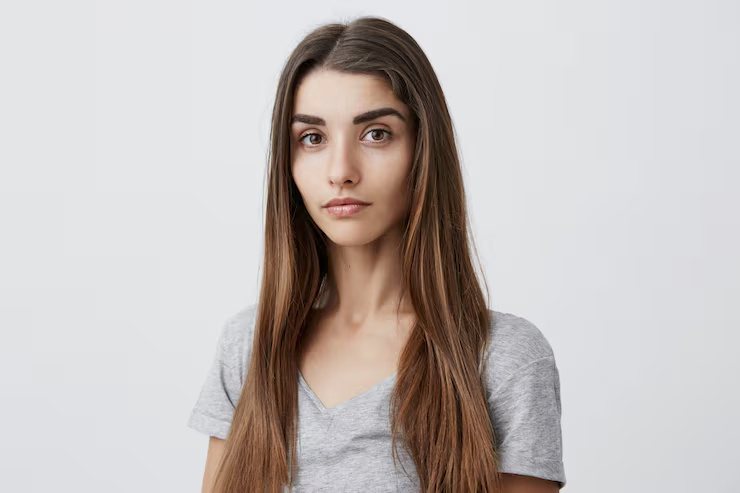
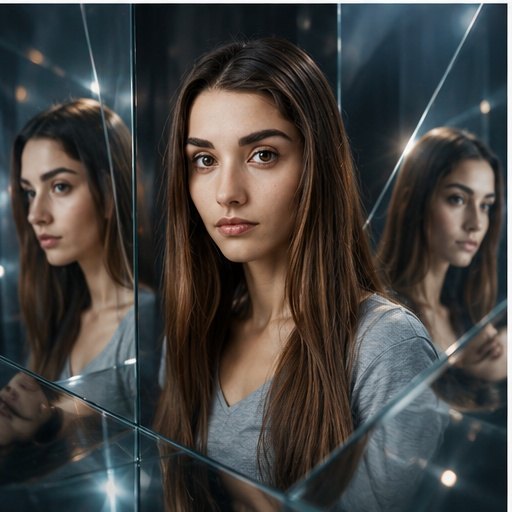

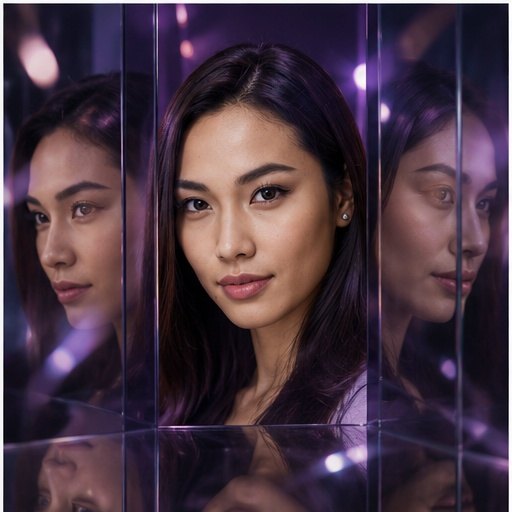

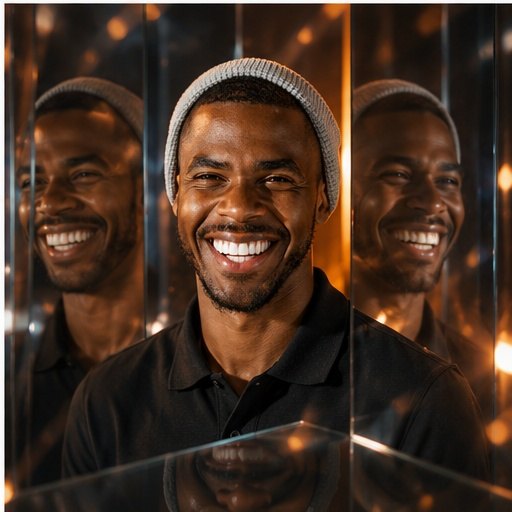
Make this portrait surreal with mirrors.
Create a surreal mirror-world portrait from the uploaded photo. Keep the face recognizable, add multiple reflective glass panels, soft distortions, elegant lighting, abstract background, and a premium conceptual fashion-editorial look. Use a vertical editorial crop, controlled reflections, natural facial proportions, soft glass distortion, elegant highlights, abstract depth, and premium conceptual fashion lighting.
Analysis
The weak prompt only asks for mirrors, so the model can create random reflections or distort the face. The improved prompt gives a clear fashion-editorial goal, preserves identity, controls glass panels, lighting and background depth, and uses a negative prompt to reduce broken reflections or warped facial details.
Related prompt resources
What changed in the improved mirror-world prompt?
The improved prompt adds identity preservation, controlled glass panels, soft distortion, elegant lighting, abstract background and a negative prompt for common reflection artifacts.
Can I adapt this before and after prompt?
Yes. Keep the identity and reflection structure, then change the wardrobe, background color, crop, lighting mood or level of distortion.