Source portraits and improved results
The improved prompt gives the model a clear event-photography setup: recognizable face, elegant outfit, camera flashes, velvet ropes, blurred photographers and glossy night lighting. This is stronger than simply asking for a celebrity photo because it describes the scene and the details that should stay stable.
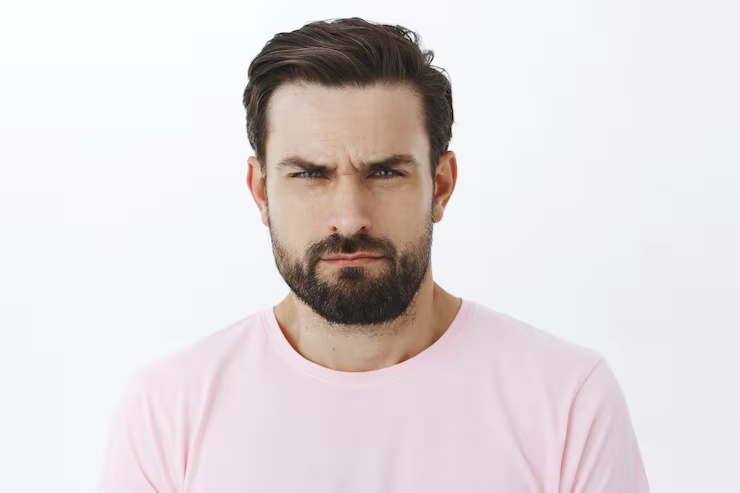
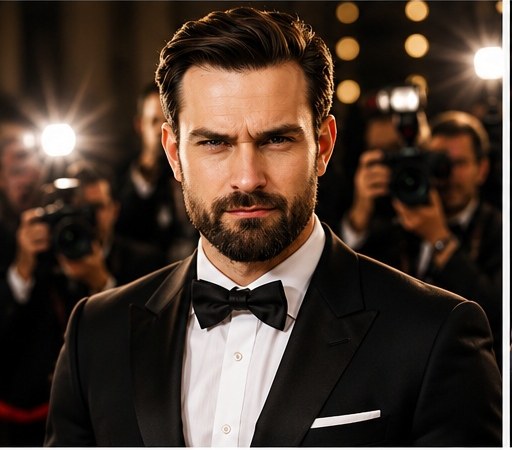
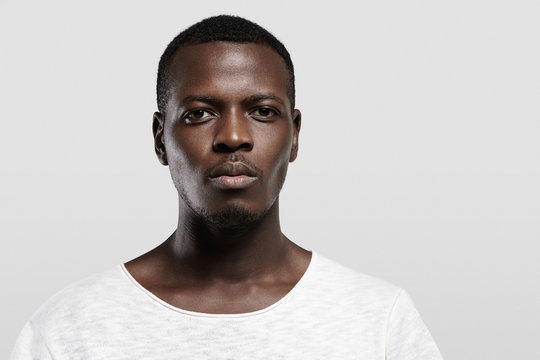
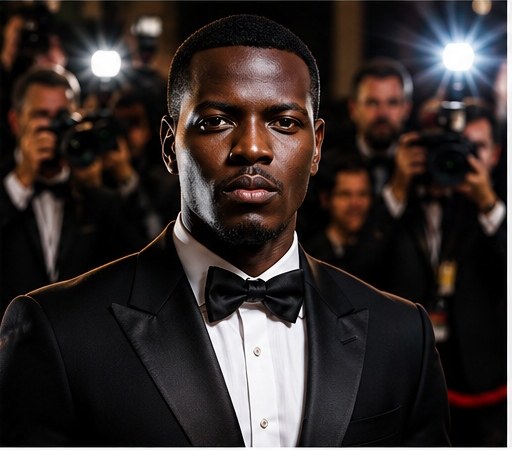
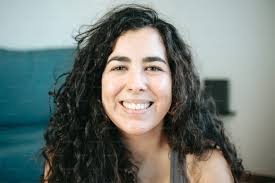
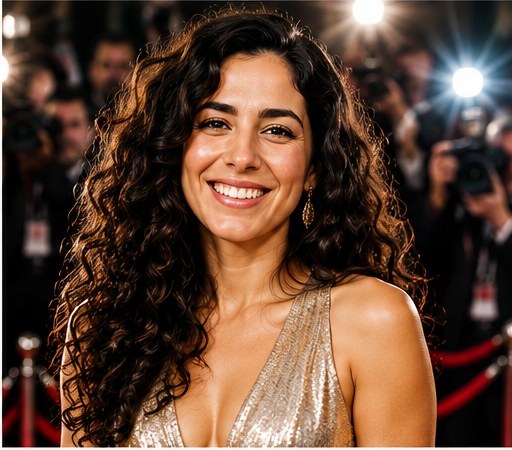
Make this portrait look like a celebrity on a red carpet.
Transform the uploaded portrait into a dramatic red-carpet celebrity photo. Keep the person recognizable, add elegant outfit, camera flashes, velvet ropes, blurred photographers, glossy evening lighting, and glamorous event photography style.
Analysis
The improved prompt adds identity preservation, elegant outfit styling, camera flashes, velvet ropes, blurred photographers, glossy evening lighting and a clear event photography style.
Related prompt resources
Can I use this prompt with an uploaded portrait?
Yes. Use a clear portrait so the model can preserve the person’s facial features while changing the setting, outfit and lighting into a red-carpet event scene.
How do I keep the person recognizable?
Keep the identity instruction in the prompt and mention the facial features, hairstyle and outfit colors that should remain consistent. Avoid pushing the style so hard that the face becomes generic.