Realistic Airport Travel Editorial Photo Prompt for ChatGPT AI Images
Copy a curated Realistic Airport Travel Editorial Photo Prompt for ChatGPT image generation with examples, negative prompt and practical tips.
Copy this prompt
Copy the Realistic Airport Travel Editorial Photo instructions, then tune Realistic airport travel editorial photo and Soft morning airport window light with natural shadows only where your source image needs adjustment.
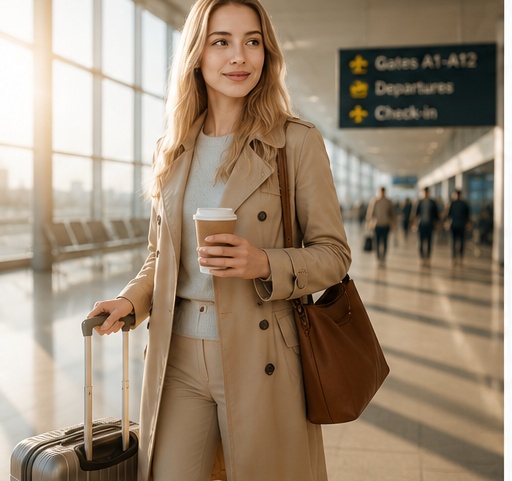
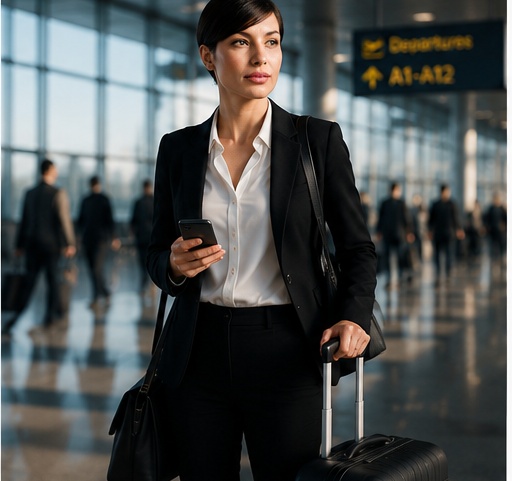
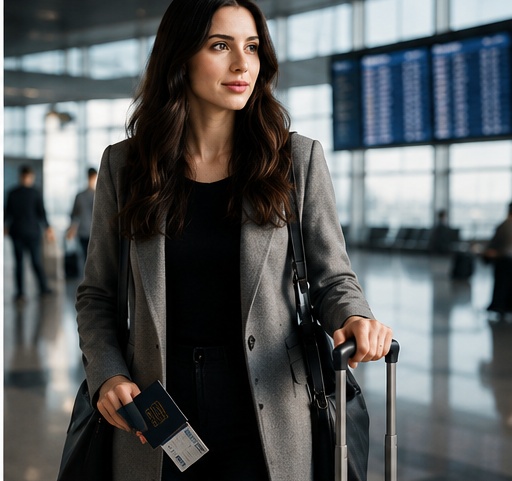
Create a realistic airport travel editorial photo from the uploaded portrait. Keep the person recognizable, preserve the main facial features, hairstyle, expression, skin tone, and outfit cues, then place them in a modern airport terminal with a stylish suitcase. Add a polished travel outfit, soft morning light through large airport windows, subtle reflections on the floor, realistic background travelers slightly out of focus, natural shadows, premium lifestyle magazine composition, shallow depth of field, editorial color grading, and a calm confident travel mood. Make it look like a real high-end travel feature photo, not a collage or tourist snapshot.
Before and after examples
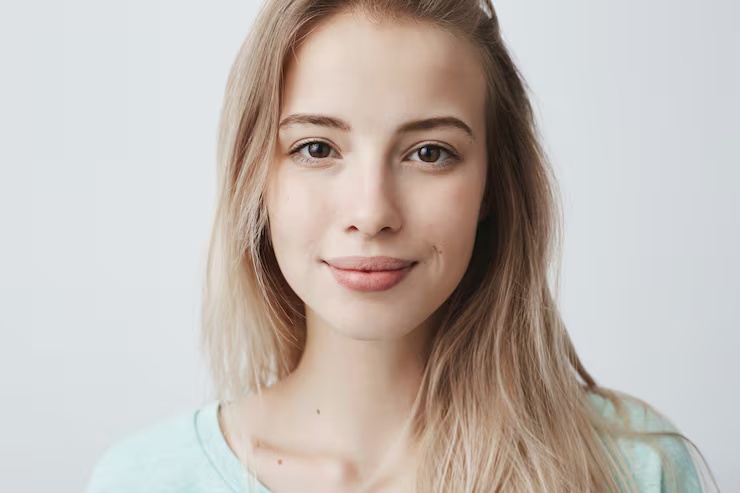
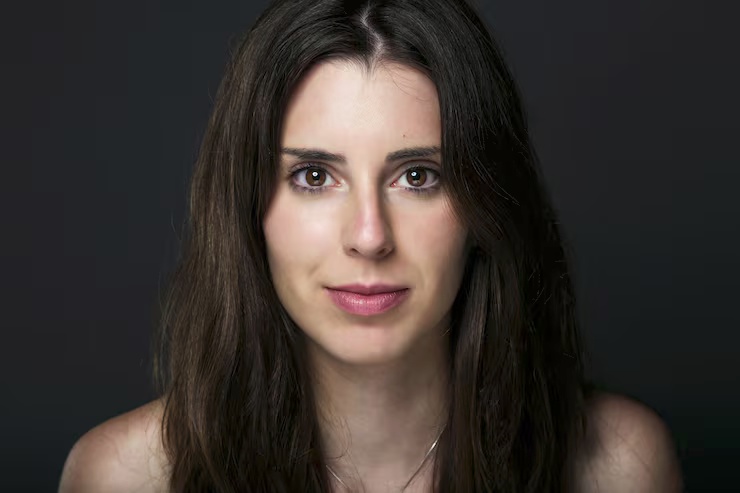
Before reference 1After result 1. The generated Realistic Airport Travel Editorial Photo example applies the page-specific wardrobe, setting, lighting and composition instructions while retaining the source subject as the visual anchor.
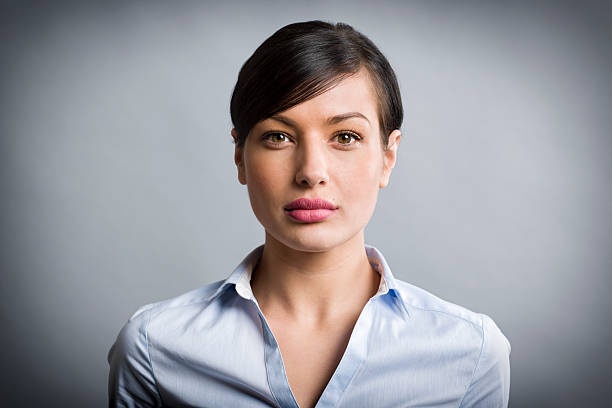
Before reference 2After result 2. On the Realistic Airport Travel Editorial Photo page, compare each matched source and result for subject continuity, crop and the intended visual mood.
Before reference 3After result 3. The generated Realistic Airport Travel Editorial Photo example applies the page-specific wardrobe, setting, lighting and composition instructions while retaining the source subject as the visual anchor.
This airport travel editorial prompt works because it combines identity preservation with a specific lifestyle photography scene. It keeps the uploaded portrait recognizable, then gives the image model a believable airport setting, suitcase, soft morning light, travel outfit, floor reflections and premium magazine composition.
How to adapt it
Change the destination mood, outfit, suitcase style or airport lighting while keeping the identity instructions near the start. For a business travel look, add tailored outerwear, laptop bag and quiet lounge lighting. For a vacation look, use lighter clothes, warmer daylight and more relaxed body language.
Lighting direction: Soft morning airport window light with natural shadows
Camera direction: Lifestyle magazine portrait crop, shallow depth of field, premium editorial composition
For Realistic Airport Travel Editorial Photo, adjust one field per trial so changes to Realistic airport travel editorial photo remain distinguishable from changes to Soft morning airport window light with natural shadows.
Customization guide
Parameter
What to change
Expected effect
Example value
Subject or scene
Replace the main subject while keeping the prompt structure.
Changes the focal content without discarding the composition.
Realistic Airport Travel Editorial Photo
Visual style
Change the style phrase.
Moves the result toward a different material or art direction.
Realistic airport travel editorial photo
Lighting
Replace the lighting description.
Changes contrast, depth, color temperature and mood.
Soft morning airport window light with natural shadows
Camera and composition
Adjust lens, angle, crop or focal point.
Changes perspective and the amount of environment in frame.
What makes this airport travel prompt look realistic?
It preserves the uploaded face, adds a believable airport terminal, suitcase, morning light, floor reflections and magazine-style travel photography cues.
Can I use this prompt for profile photos?
Yes. It works well for lifestyle profile images, travel creator visuals, editorial portraits and premium personal branding.
How do I keep the person recognizable?
Keep identity instructions at the beginning of the prompt: facial features, hairstyle, expression, skin tone and outfit cues should stay consistent.
What negative prompts help with airport scenes?
Use constraints for changed identity, bad hands, warped suitcase, cluttered backgrounds, fake readable text, unrealistic shadows and collage-like composition.
Author: Image Prompt List Editorial Team. This is the site editorial team, not a fictional individual expert.
For Realistic Airport Travel Editorial Photo, editors checked the stored prompt and available examples for topic fit, pair order, captions, metadata, duplicates and unsupported claims. Formatting checks can be automated; this approval covers the documented Realistic airport travel editorial photo and Soft morning airport window light with natural shadows evidence, not an unreported independent model rerun.