High-Fashion Floral Surrealism Portrait Prompt for ChatGPT AI Images
Copy a tested High-Fashion Floral Surrealism Portrait Prompt for ChatGPT image generation with examples, negative prompt, practical tips, settings and variations.
About this prompt
Use this High-Fashion Floral Surrealism Portrait Prompt to create a polished AI image from a clear uploaded portrait while keeping the person recognizable. The prompt is designed for ChatGPT image generation and can also be adapted for other AI image tools when you need stronger style direction, better composition and more consistent facial details. It helps define the face, pose, outfit, lighting, background, mood and final image quality without turning the subject into a generic character. Use it when the uploaded photo needs a stronger visual concept but the identity, hairstyle and main expression still need to stay stable. This page includes the full prompt, negative prompt, before-and-after examples when available, usage tips, prompt variations, common mistakes, recommended settings and related prompt ideas so you can copy the prompt, adjust it quickly and get a more predictable result.
Copy this prompt
Use the tested version as-is, then customize the subject, style, lighting and mood in your image tool.
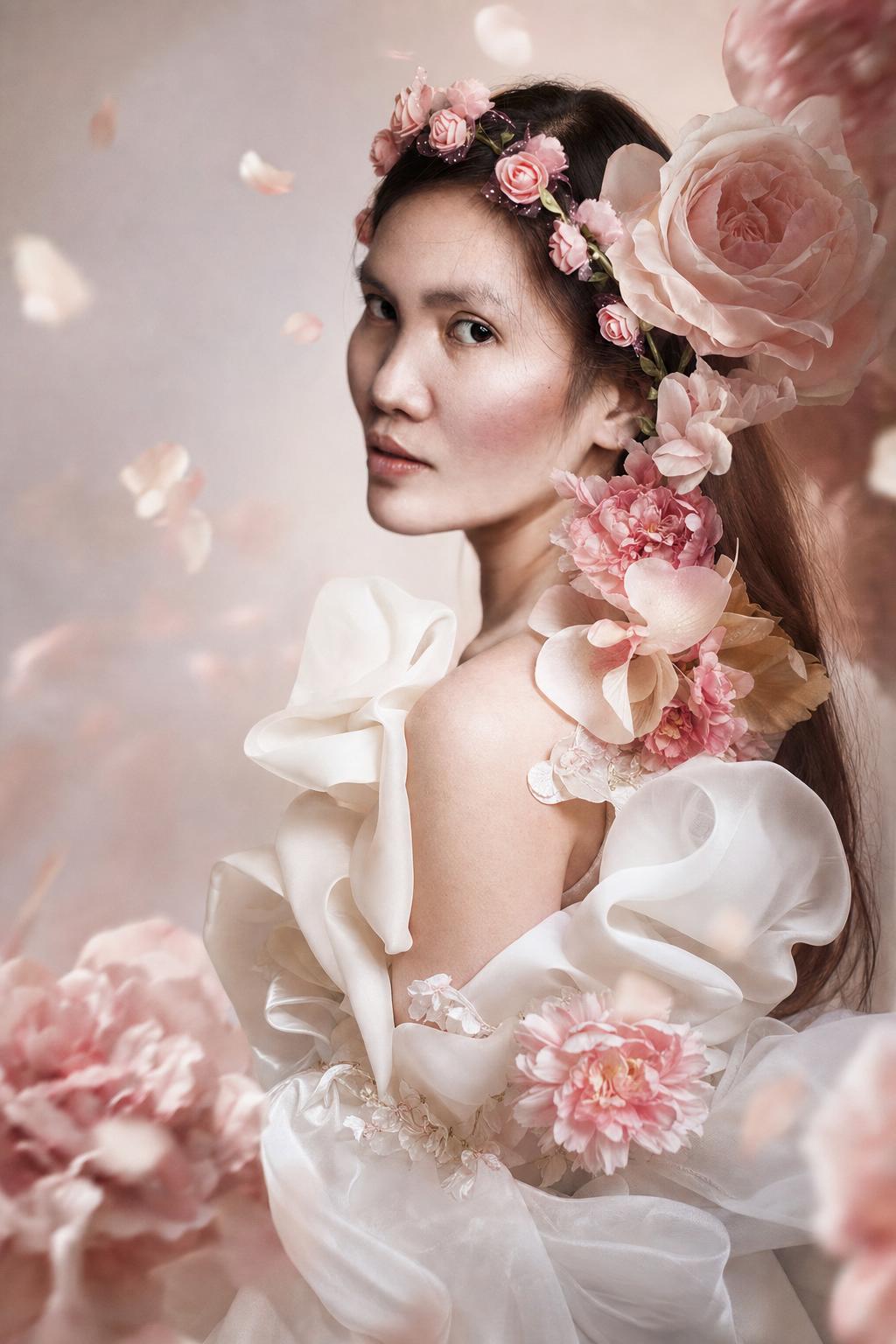
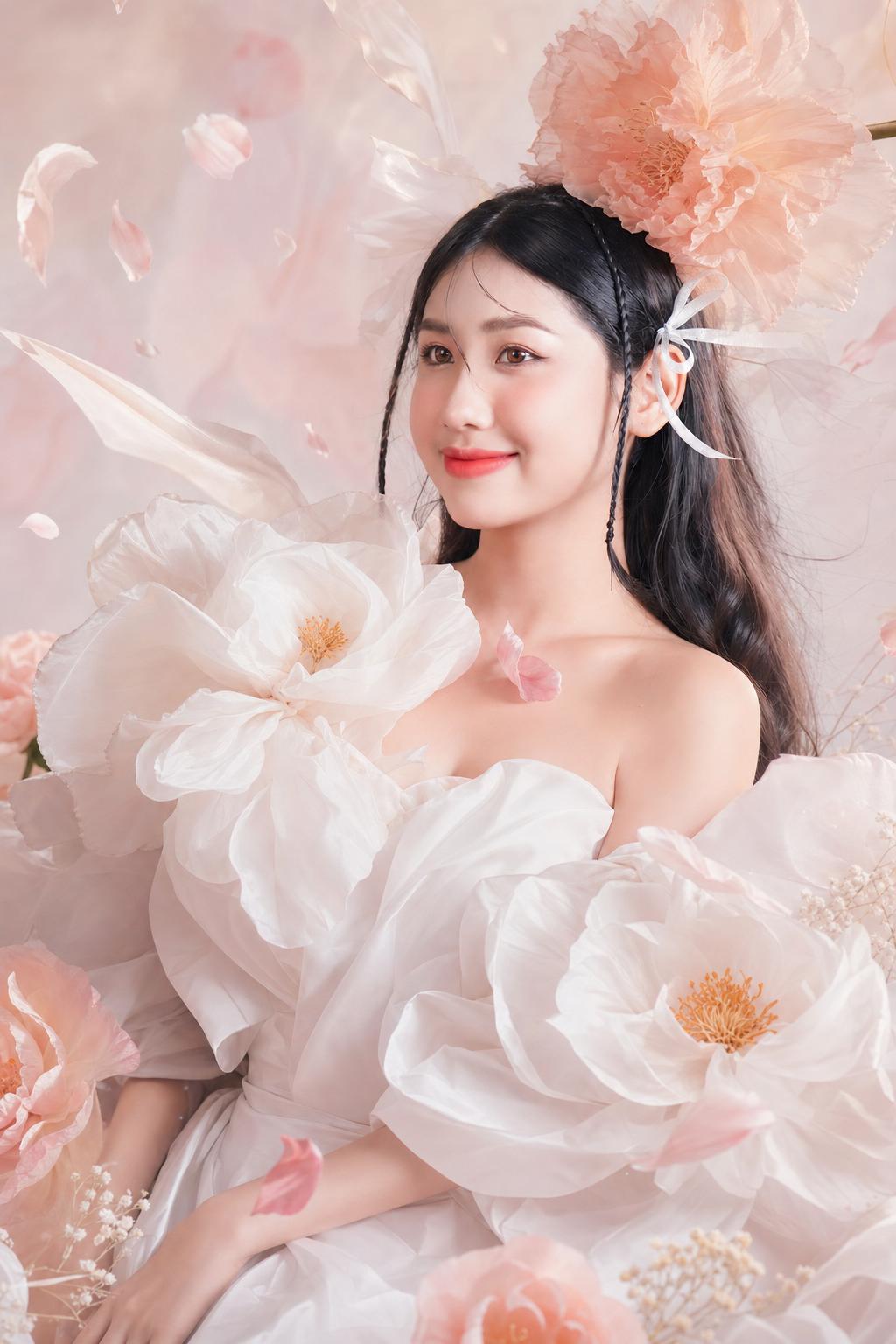
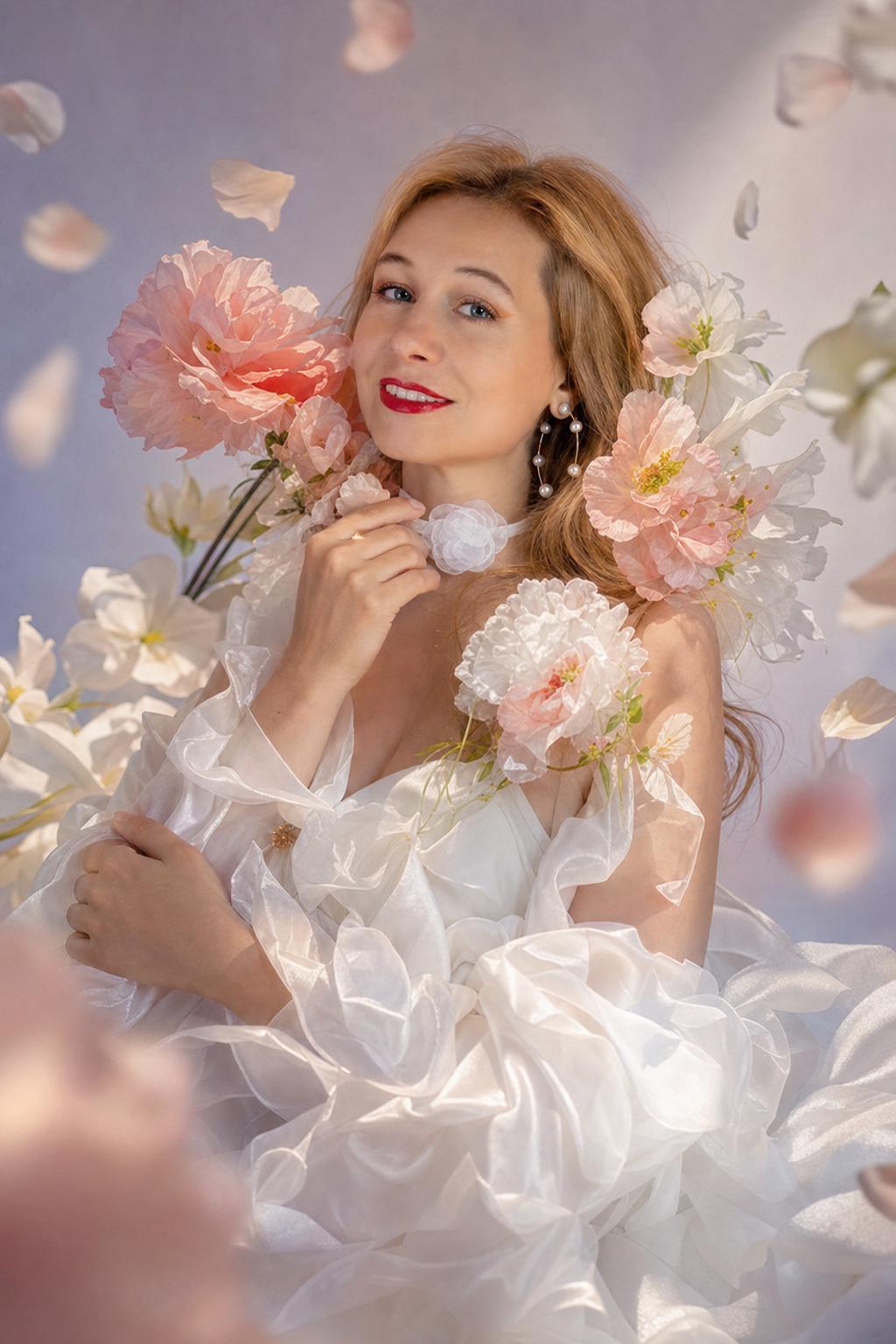
Create a surreal high-fashion floral portrait from the reference image. Preserve the person's recognizable face and natural features, style them in an elegant white couture outfit, and surround the face and shoulders with oversized blooming flowers and soft floating petals. Use a dreamlike pastel studio background, soft studio light, gentle shadows, pastel highlights, couture fabric folds, realistic petals, natural skin texture, soft haze, and a calm luxury magazine cover composition.
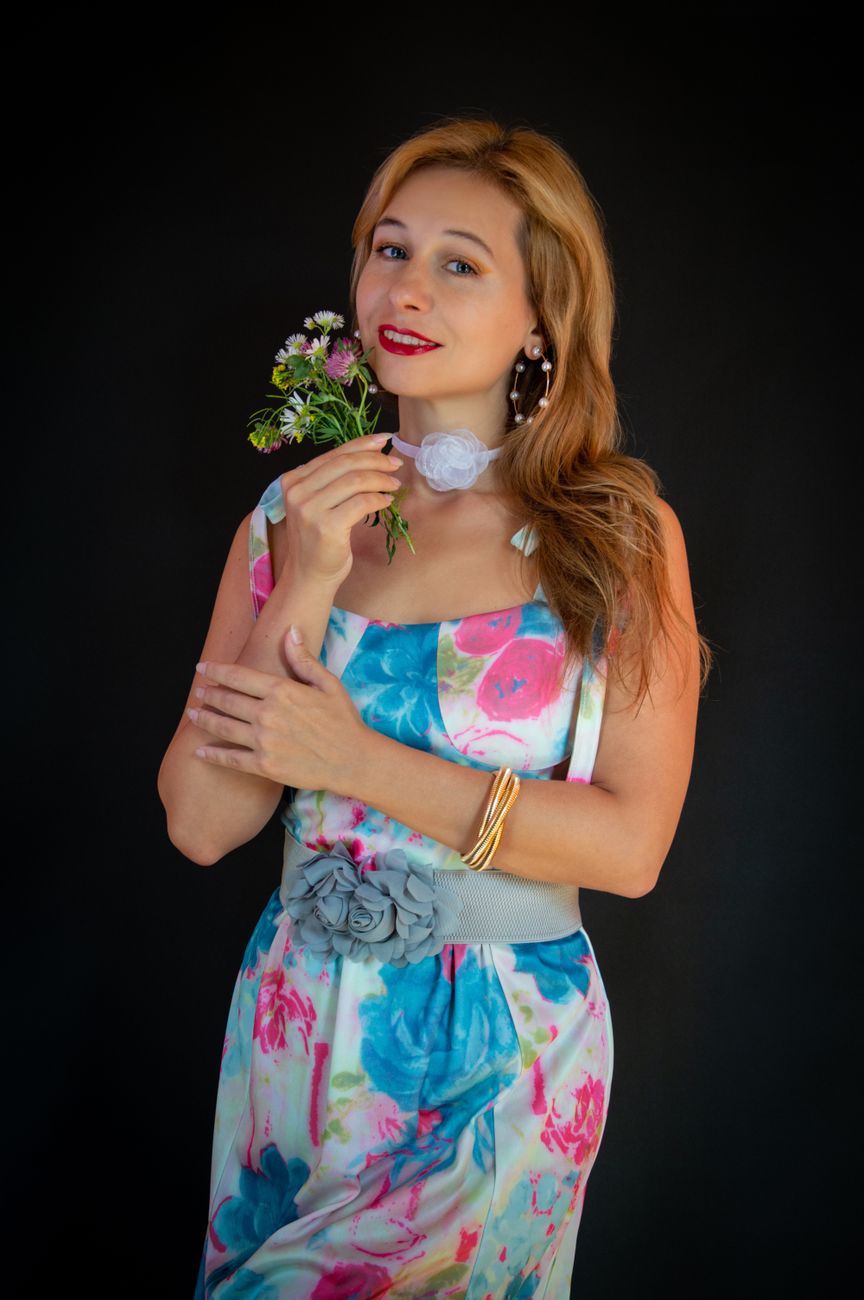
Before reference 1After result 1. This example shows how a simple portrait reference can become a polished AI image while keeping the person recognizable. The result improves the lighting, styling, background and overall composition without losing the main facial identity.
Bad prompt vs improved prompt
Bad prompt
make me with flowers fashion
Improved prompt
Create a surreal high-fashion floral portrait from the reference image. Preserve the person's recognizable face and natural features, style them in an elegant white couture outfit, and surround the face and shoulders with oversized blooming flowers and soft floating petals. Use a dreamlike pastel studio background, soft studio light, gentle shadows, pastel highlights, couture fabric folds, realistic petals, natural skin texture, soft haze, and a calm luxury magazine cover composition.
Why this prompt works
The prompt works because it balances surreal elements with editorial control. Flowers frame the face instead of covering it, while the couture wardrobe and soft studio lighting keep the result polished.
Prompt structure
This prompt defines the reference person, preserved identity, couture outfit, flower framing, floating petals, pastel studio light, texture details, and calm editorial mood.
Copy-paste prompt
Create a surreal high-fashion floral portrait from the reference image. Preserve the person's recognizable face and natural features, style them in an elegant white couture outfit, and surround the face and shoulders with oversized blooming flowers and soft floating petals. Use a dreamlike pastel studio background, soft studio light, gentle shadows, pastel highlights, couture fabric folds, realistic petals, natural skin texture, soft haze, and a calm luxury magazine cover composition.
Negative prompt
minor, child, teenager, explicit nudity, sexualized pose, violence, weapons, drugs, political symbols, hate symbols, distorted face, extra fingers, deformed hands, plastic skin, over-smoothed skin, unrealistic eyes, bad perspective, unreadable text, brand logos, watermark, low resolution, blurry, AI artifacts, wedding catalog look, plastic flowers, cluttered bouquet, harsh makeup, distorted petals, face hidden by flowers, muddy pastel colors, cheap costume, unreadable cover text
Best use cases
floral fashion portraits
luxury magazine visuals
beauty editorial prompts
dreamy profile images
surreal AI portraits
couture image edits
Real source and result examples
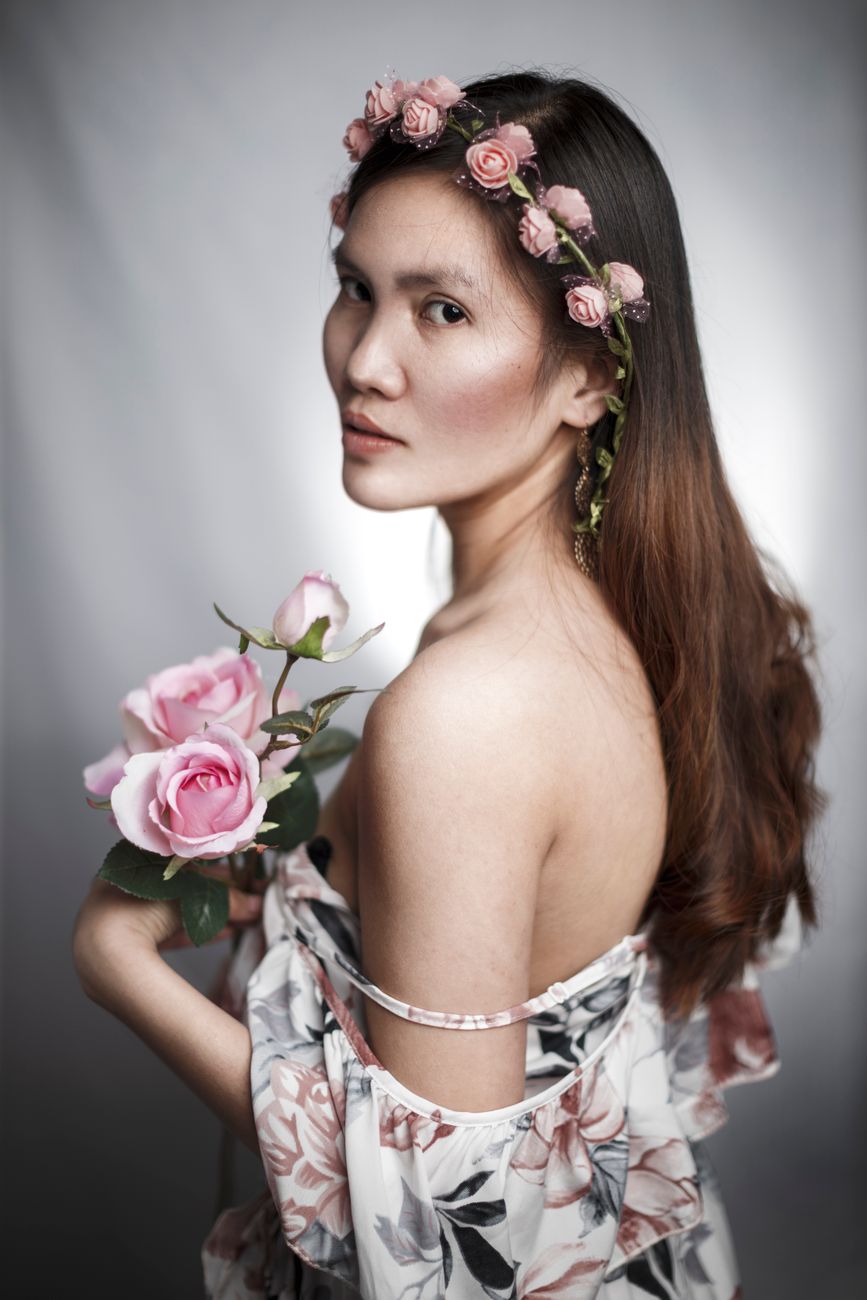
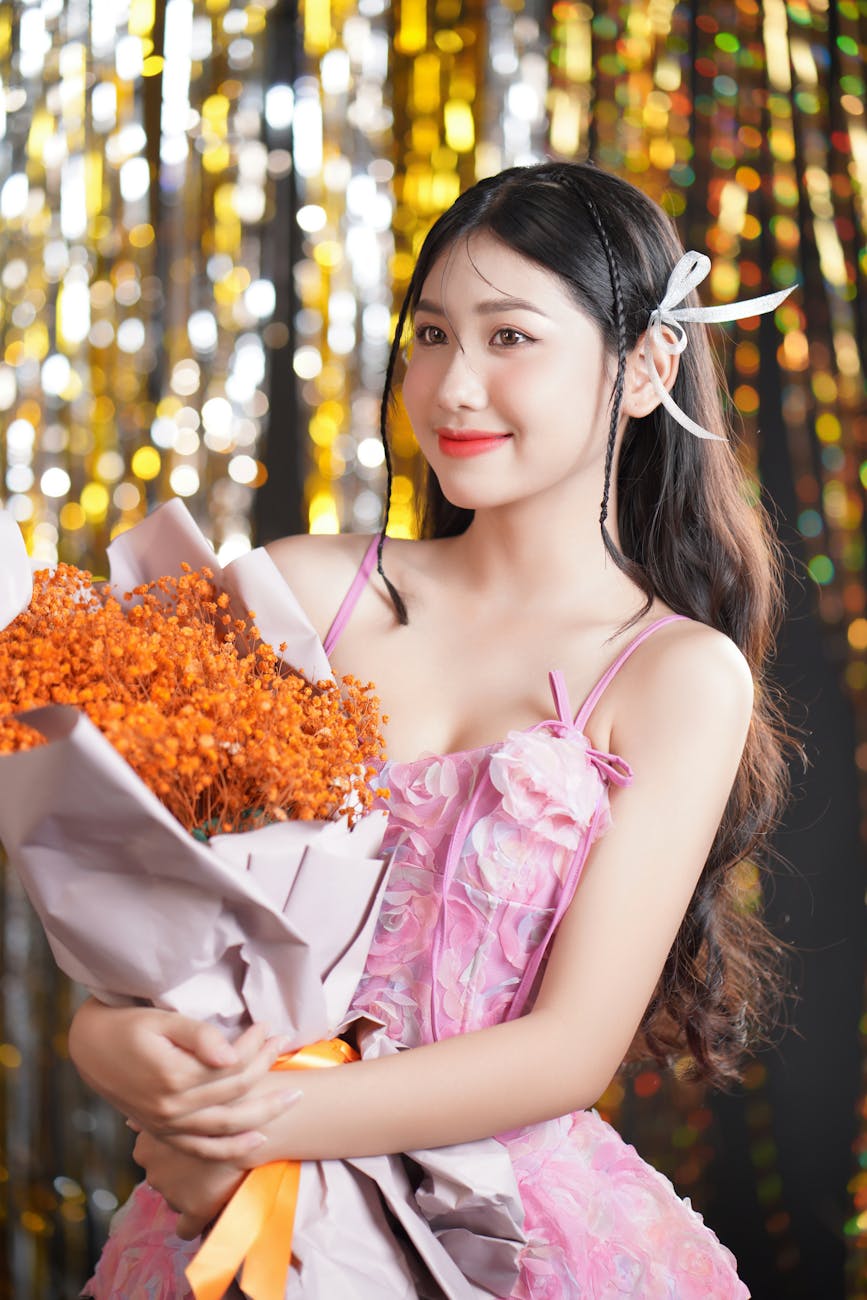
These examples use modern adult stock portraits as source references and transform them into high-fashion floral surrealism portraits.
Source example 1Generated result 1Source example 2Generated result 2Source example 3Generated result 3
How to adjust this prompt
Keep the flowers around the face rather than over it.
Mention realistic petals if the flowers look plastic.
Use soft haze sparingly so the face stays sharp.
Ask for clean background if the composition becomes busy.
FAQ
How do I keep flowers from hiding the face?
Ask for flowers framing the face and shoulders, with the facial identity clearly preserved.
Can I change the outfit color?
Yes. White works well for a clean luxury look, but you can switch to black, silver, pastel pink, or cream.
Why use a studio background?
A clean pastel studio keeps the surreal flowers readable and prevents clutter.
Start with a clear image idea or upload a source photo when the prompt is designed for a recognizable person, product or object.
Copy the High-Fashion Floral Surrealism Portrait Prompt and keep the main subject, style, lighting, camera and composition instructions together.
Replace bracketed placeholders with your own subject, outfit, background, mood, product details or scene requirements.
Add the negative prompt when the result needs cleaner hands, faces, text, logos, shadows, proportions or background detail.
Generate one version first, then refine only the weakest part: pose, lighting, crop, realism, style strength or unwanted artifacts.
Best photo types for this prompt
Use source images that make the main subject easy to understand. These input types usually give the model enough visual context without adding unnecessary clutter.
Best modelsChatGPT, Midjourney, Flux, Leonardo, Ideogram
Style strengthUse medium strength for realistic portraits and higher strength for painterly, fantasy or editorial looks.
Input tips
Use a clear face photo with natural detail.
Avoid heavy filters, blur and extreme crops.
Keep identity instructions in the prompt.
Use the negative prompt when hands, jewelry, fabric or facial details distort.
Prompt variations
Use these variations when the first result is close, but you need a different finish, crop or level of realism.
Cinematic portrait version
Cinematic portrait version
Create a cinematic portrait version of High-Fashion Floral Surrealism Portrait Prompt. Keep the person recognizable, add dramatic lighting, stronger depth, clean background control, realistic details and a polished editorial finish.
Realistic editorial version
Realistic editorial version
Create a realistic editorial version of High-Fashion Floral Surrealism Portrait Prompt. Keep the facial identity natural, use believable lighting, balanced colors, refined styling and a magazine-quality composition.
Fashion street portrait version
Fashion street portrait version
Create a fashion street portrait version of High-Fashion Floral Surrealism Portrait Prompt. Keep the person recognizable, add stylish clothing, natural movement, urban background detail, editorial lighting and a confident portrait mood.
Painterly portrait version
Painterly portrait version
Create a painterly portrait version of High-Fashion Floral Surrealism Portrait Prompt. Preserve the main facial features, add refined texture, soft brushwork, warm lighting, detailed clothing and a classic portrait composition.
Social media profile version
Social media profile version
Create a social media profile version of High-Fashion Floral Surrealism Portrait Prompt. Keep the person recognizable, use a clean crop, strong focal point, clear background separation and a polished square or vertical layout.
Negative prompt
minor, child, teenager, explicit nudity, sexualized pose, violence, weapons, drugs, political symbols, hate symbols, distorted face, extra fingers, deformed hands, plastic skin, over-smoothed skin, unrealistic eyes, bad perspective, unreadable text, brand logos, watermark, low resolution, blurry, AI artifacts, wedding catalog look, plastic flowers, cluttered bouquet, harsh makeup, distorted petals, face hidden by flowers, muddy pastel colors, cheap costume, unreadable cover text
Common mistakes
Using a blurry or cropped face photo.
Removing the instruction to keep the person recognizable.
Making the style so extreme that the face or outfit identity changes.
Overloading clothing, background and lighting details in one prompt.
Skipping the negative prompt for hands, eyes, face shape and background artifacts.
Using a heavily filtered selfie as the only reference image.
FAQ
How do I keep flowers from hiding the face?
Ask for flowers framing the face and shoulders, with the facial identity clearly preserved.
Can I change the outfit color?
Yes. White works well for a clean luxury look, but you can switch to black, silver, pastel pink, or cream.
Why use a studio background?
A clean pastel studio keeps the surreal flowers readable and prevents clutter.
Use High-Fashion Floral Surrealism Portrait Prompt to create a more controlled AI image from a clear idea or uploaded reference. It helps define the subject, style, lighting, composition and final quality.
Can I use this prompt in ChatGPT?
Yes. The prompt is written for ChatGPT image generation and uses natural language instructions that are easy to copy, edit and refine.
Can I use this prompt in Midjourney or Flux?
Yes. You can adapt the wording for Midjourney, Flux, Leonardo or other image tools, but model-specific parameters and aspect ratios may need small changes.
How do I get better results from this prompt?
Use a clear subject, keep the strongest style instructions, add the negative prompt and refine only the weakest part of the first result. Small targeted edits work better than rewriting everything.