Advertising prompt
Pastel Pantsuit Blush Studio AI Portrait Prompt for ChatGPT
Use this polished ChatGPT image prompt to create a realistic adult fashion portrait with a pastel pantsuit, soft blush studio background, and refined catalog styling. It is built for creators who need clean AI selfie prompts, portrait ad concepts, boutique lookbook visuals, and social media campaign images without logos, clutter, or overdone effects. The prompt focuses on a confident adult subject, flattering studio lighting, natural skin texture, crisp tailoring, and a premium editorial look. It can also work as an image edit prompt when you want to transform a simple reference selfie or portrait into a modest, commercial-ready fashion image.
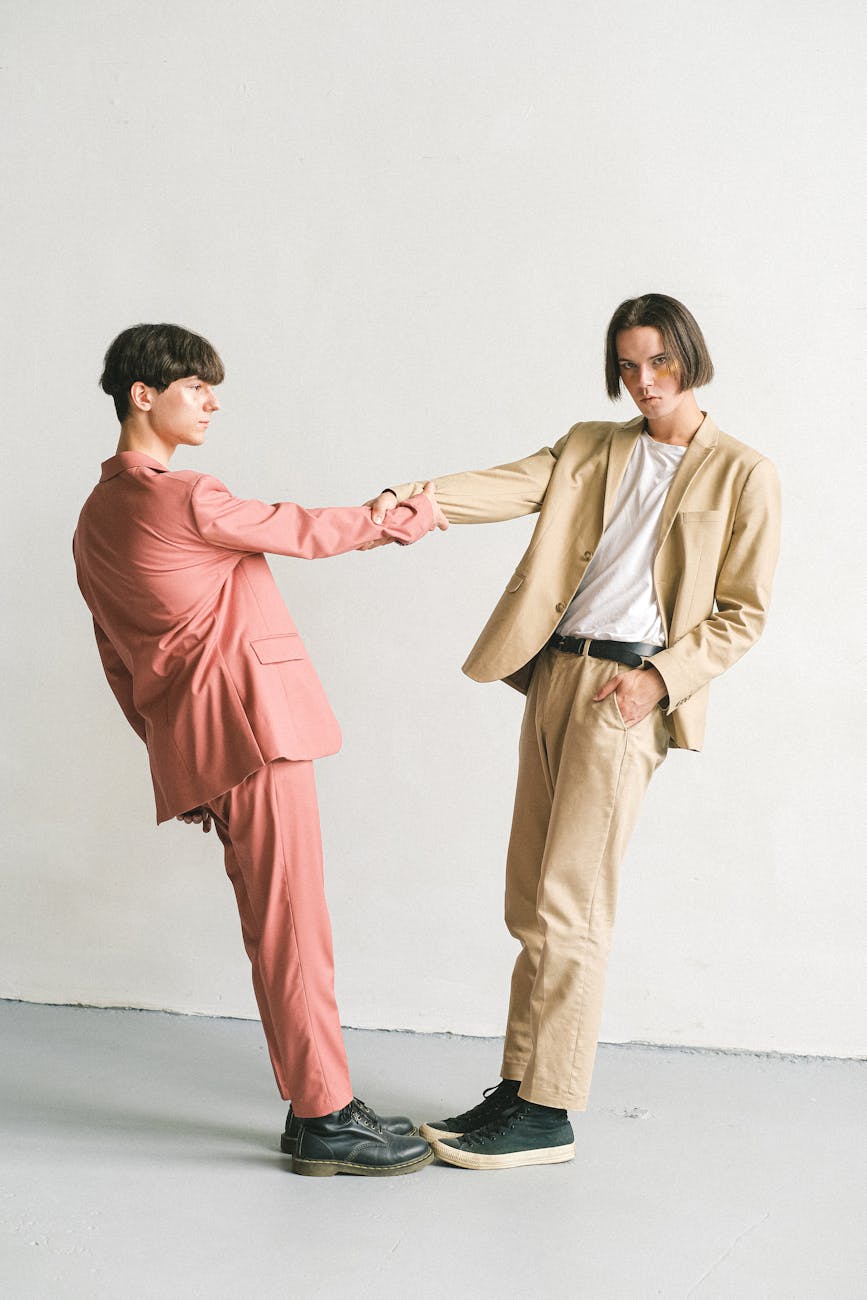
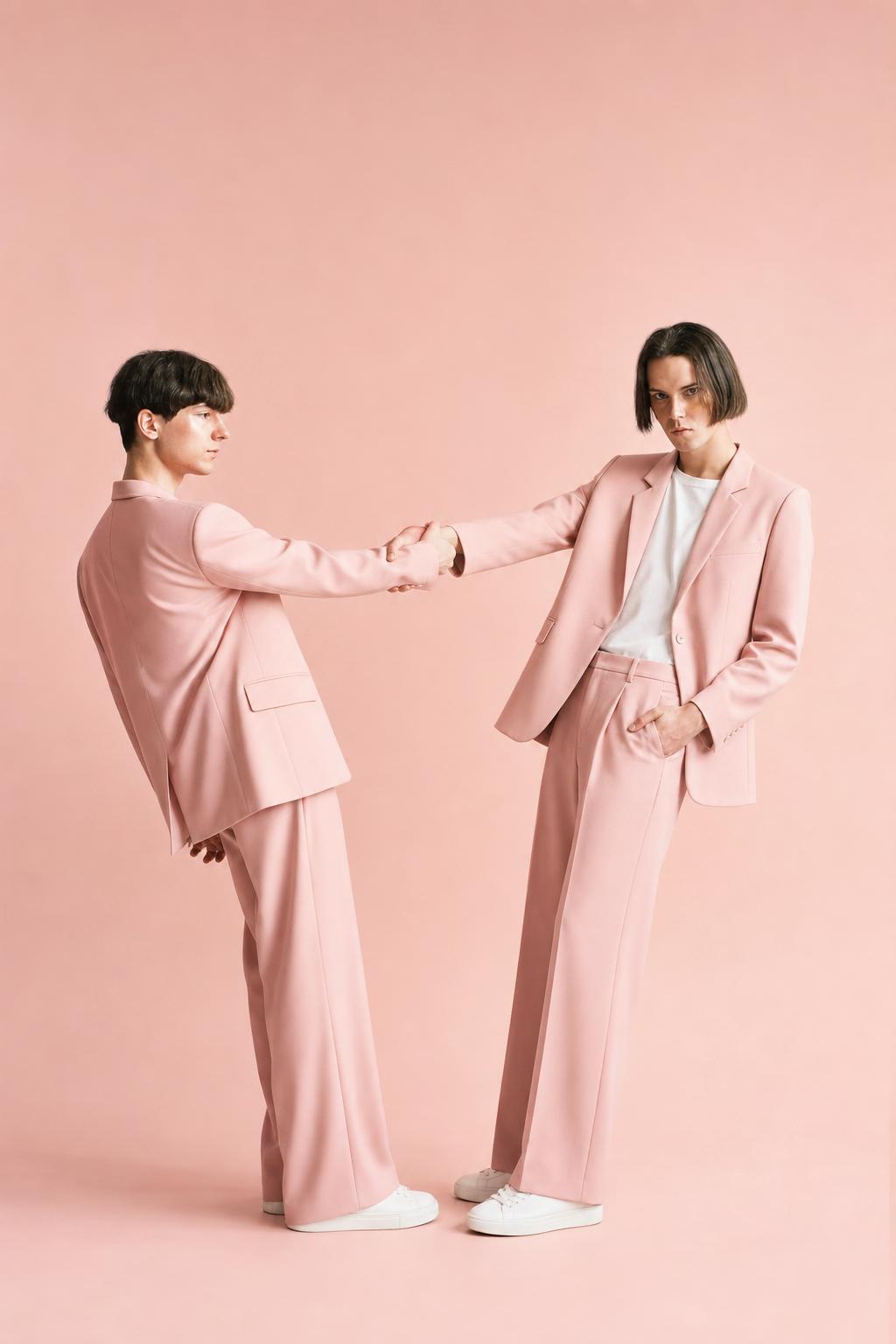
Copy this prompt
Use the tested version as-is, then customize the subject, style, lighting and mood in your image tool.
Best for
ChatGPTAdvertisingReference photoPortraitSocial media
Improved prompt
Create or edit a realistic high-end fashion portrait of an adult person wearing a modest tailored pastel pink pantsuit with a structured blazer and wide-leg trousers. Place the subject against a seamless blush-pink studio background in a calm, confident three-quarter pose, looking naturally toward the camera like a polished editorial selfie or portrait ad. Use clean wardrobe styling, understated makeup, neatly styled hair, realistic skin texture, and no visible logos. Light the scene with soft diffused key lighting, gentle fill light, and a subtle floor shadow for depth. Keep the composition minimal and elegant, emphasizing the face, silhouette, fabric texture, tailoring, and pink color harmony. Use professional catalog photography style, realistic proportions, crisp details, balanced contrast, natural expression, 85mm portrait lens feel, high-resolution commercial fashion lookbook aesthetic. If editing a reference image, preserve the adult subject’s natural identity and facial structure while improving lighting, wardrobe, background, and overall polish.
Negative prompt
nudity, lingerie, sheer clothing, sexualized pose, low-cut styling, visible underwear, minors, childlike face, celebrity likeness, famous person, brand logos, readable text, watermark, signature, distorted face, asymmetrical eyes, bad teeth, warped mouth, distorted hands, extra fingers, missing fingers, extra limbs, broken anatomy, plastic skin, waxy skin, over-smoothed face, overprocessed AI artifacts, harsh flash, messy background, clutter, overexposed highlights, low resolution, blurry details, cartoon style, painting, illustration
Advertisement
Bad prompt vs improved prompt
Bad prompt
Make a photo of a person in a pink suit in a studio.
Improved prompt
Create or edit a realistic high-end fashion portrait of an adult person wearing a modest tailored pastel pink pantsuit with a structured blazer and wide-leg trousers. Place the subject against a seamless blush-pink studio background in a calm, confident three-quarter pose, looking naturally toward the camera like a polished editorial selfie or portrait ad. Use clean wardrobe styling, understated makeup, neatly styled hair, realistic skin texture, and no visible logos. Light the scene with soft diffused key lighting, gentle fill light, and a subtle floor shadow for depth. Keep the composition minimal and elegant, emphasizing the face, silhouette, fabric texture, tailoring, and pink color harmony. Use professional catalog photography style, realistic proportions, crisp details, balanced contrast, natural expression, 85mm portrait lens feel, high-resolution commercial fashion lookbook aesthetic. If editing a reference image, preserve the adult subject’s natural identity and facial structure while improving lighting, wardrobe, background, and overall polish.
Why this prompt works
This prompt works because it gives the image model a clear adult portrait subject, wardrobe direction, studio setting, lighting plan, and commercial use case. The blush-on-pink palette creates a cohesive fashion campaign look, while the modest pantsuit styling keeps the result appropriate for catalogs, ads, and profile-style portrait concepts. Details such as realistic skin texture, 85mm lens feel, natural expression, and logo-free presentation help reduce generic AI output and guide the image toward a polished fashion lookbook result.
Prompt structure
Subject: adult person in a modest pastel pantsuit. Setting: seamless blush studio background. Pose: calm confident three-quarter portrait. Styling: clean hair, understated makeup, no logos. Lighting: soft diffused studio setup. Camera: 85mm portrait lens feel. Quality controls: realistic skin, crisp tailoring, natural expression, high-resolution output, negative prompt for common artifacts.
Copy-paste prompt
Create or edit a realistic high-end fashion portrait of an adult person wearing a modest tailored pastel pink pantsuit with a structured blazer and wide-leg trousers. Place the subject against a seamless blush-pink studio background in a calm, confident three-quarter pose, looking naturally toward the camera like a polished editorial selfie or portrait ad. Use clean wardrobe styling, understated makeup, neatly styled hair, realistic skin texture, and no visible logos. Light the scene with soft diffused key lighting, gentle fill light, and a subtle floor shadow for depth. Keep the composition minimal and elegant, emphasizing the face, silhouette, fabric texture, tailoring, and pink color harmony. Use professional catalog photography style, realistic proportions, crisp details, balanced contrast, natural expression, 85mm portrait lens feel, high-resolution commercial fashion lookbook aesthetic. If editing a reference image, preserve the adult subject’s natural identity and facial structure while improving lighting, wardrobe, background, and overall polish.Negative prompt
nudity, lingerie, sheer clothing, sexualized pose, low-cut styling, visible underwear, minors, childlike face, celebrity likeness, famous person, brand logos, readable text, watermark, signature, distorted face, asymmetrical eyes, bad teeth, warped mouth, distorted hands, extra fingers, missing fingers, extra limbs, broken anatomy, plastic skin, waxy skin, over-smoothed face, overprocessed AI artifacts, harsh flash, messy background, clutter, overexposed highlights, low resolution, blurry details, cartoon style, painting, illustrationBest use cases
- Adult AI selfie prompt concepts
- Fashion portrait advertising visuals
- Boutique lookbook mockups
- Clothing catalog portrait images
- Minimal studio portrait prompts
- Personal brand fashion portraits
- Social media fashion campaign posts
Real source and result examples
These examples use modern source photos and show how the same prompt direction changes different adult selfie references while keeping the comparison readable.
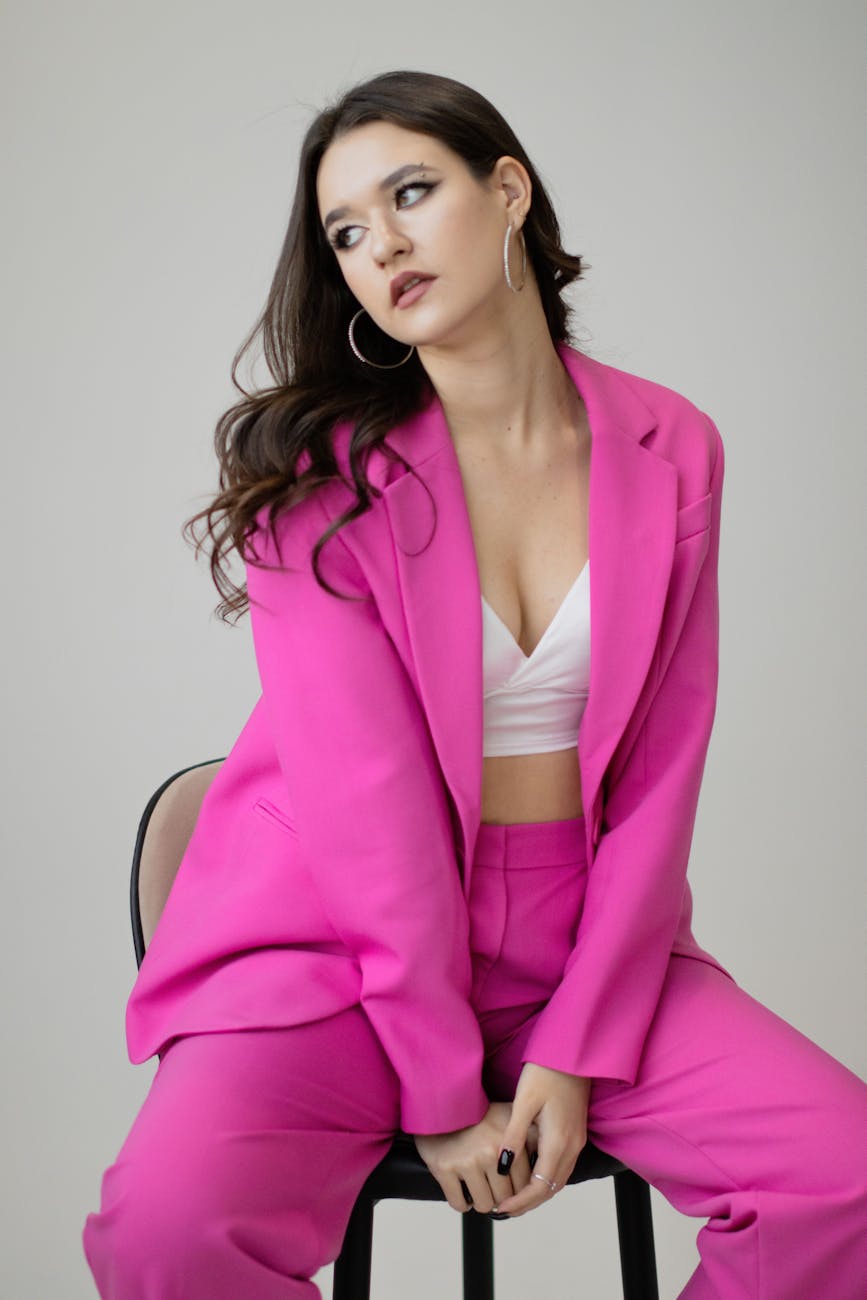
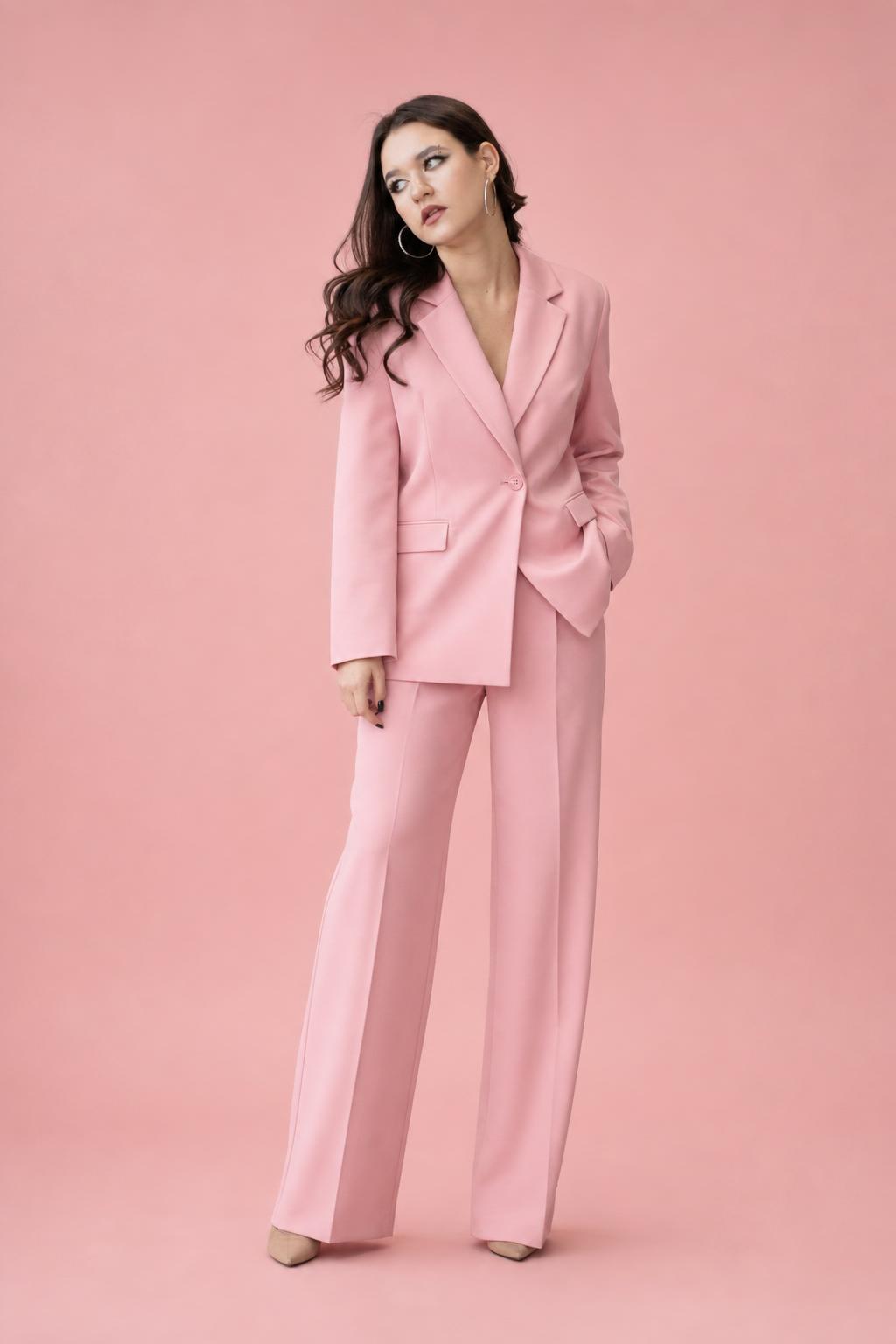
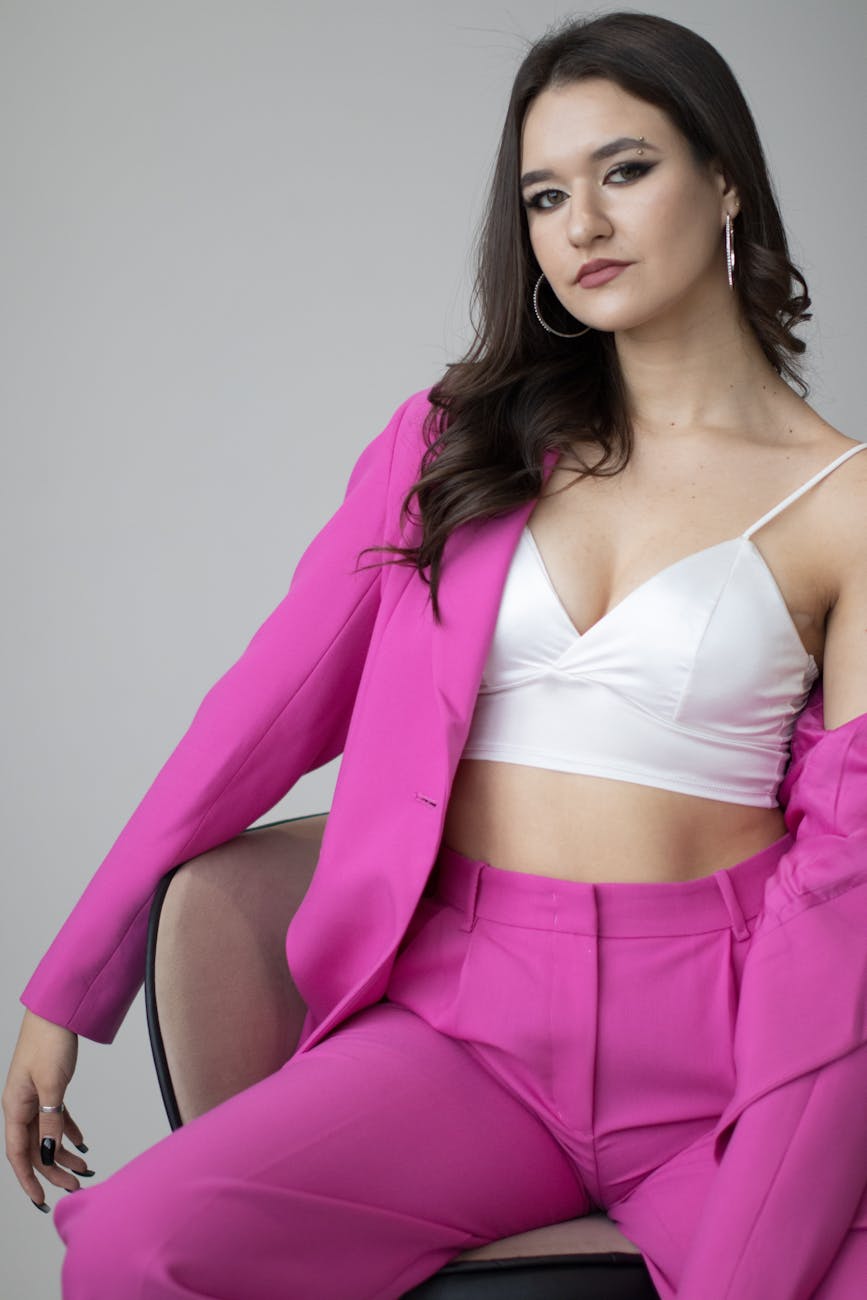
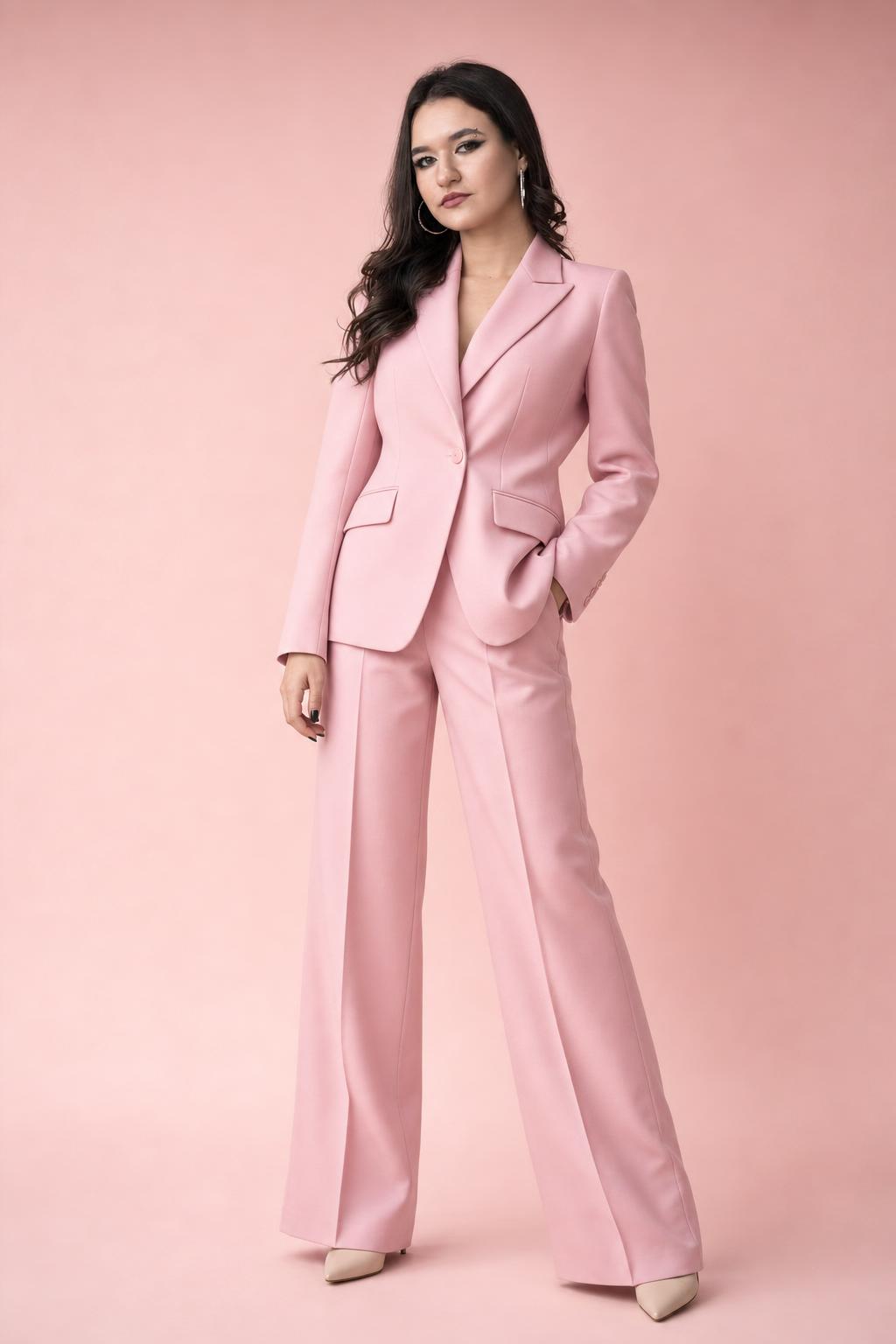
How to adjust this prompt
- For a closer selfie look, change “three-quarter pose” to “waist-up portrait with relaxed eye contact.”
- For stronger catalog styling, add “full outfit visible with clean vertical composition.”
- For a softer beauty portrait, increase “diffused lighting” and add “gentle catchlights in the eyes.”
- For more realism, keep “natural skin texture” and avoid words like flawless, doll-like, or ultra-smooth.
- For a different campaign mood, swap the blush background for beige, soft gray, pale lavender, or warm ivory.
FAQ
Can I use this as a ChatGPT image prompt for a realistic fashion portrait?
Yes. The prompt is written as a copy-paste instruction for generating or editing a realistic adult fashion portrait with studio lighting, polished styling, and catalog-ready detail.
Is this suitable for adult AI selfie prompts?
Yes. It frames the result like an elevated editorial selfie or portrait ad while keeping the subject adult, modestly styled, and naturally posed.
Can I use a reference selfie with this prompt?
Yes. Use a clear adult reference selfie or portrait, then include the editing instruction to preserve the subject’s natural identity while improving wardrobe, lighting, background, and polish.
Can I change the pantsuit color?
Absolutely. Replace pastel pink with ivory, sage, navy, beige, lavender, or another color while keeping the same blush studio lighting and portrait composition.
How can I make the result look less artificial?
Keep the realistic skin texture, natural expression, balanced contrast, and 85mm portrait lens details in the prompt, and use the negative prompt to reduce plastic skin, distorted faces, and overprocessed artifacts.
Related internal links
Browse more portrait AI prompts, compare transformations in before/after examples, build a new idea with the AI image prompt generator, and clean results with negative prompts.