Generate Prompt

Photo to Dreamy Cloud Fantasy Portrait Before and After

Compare an uploaded portrait with a dreamy cloud fantasy scene using glowing sky light, floating fabric, subtle sparkles and a peaceful surreal atmosphere.

Before and after examples
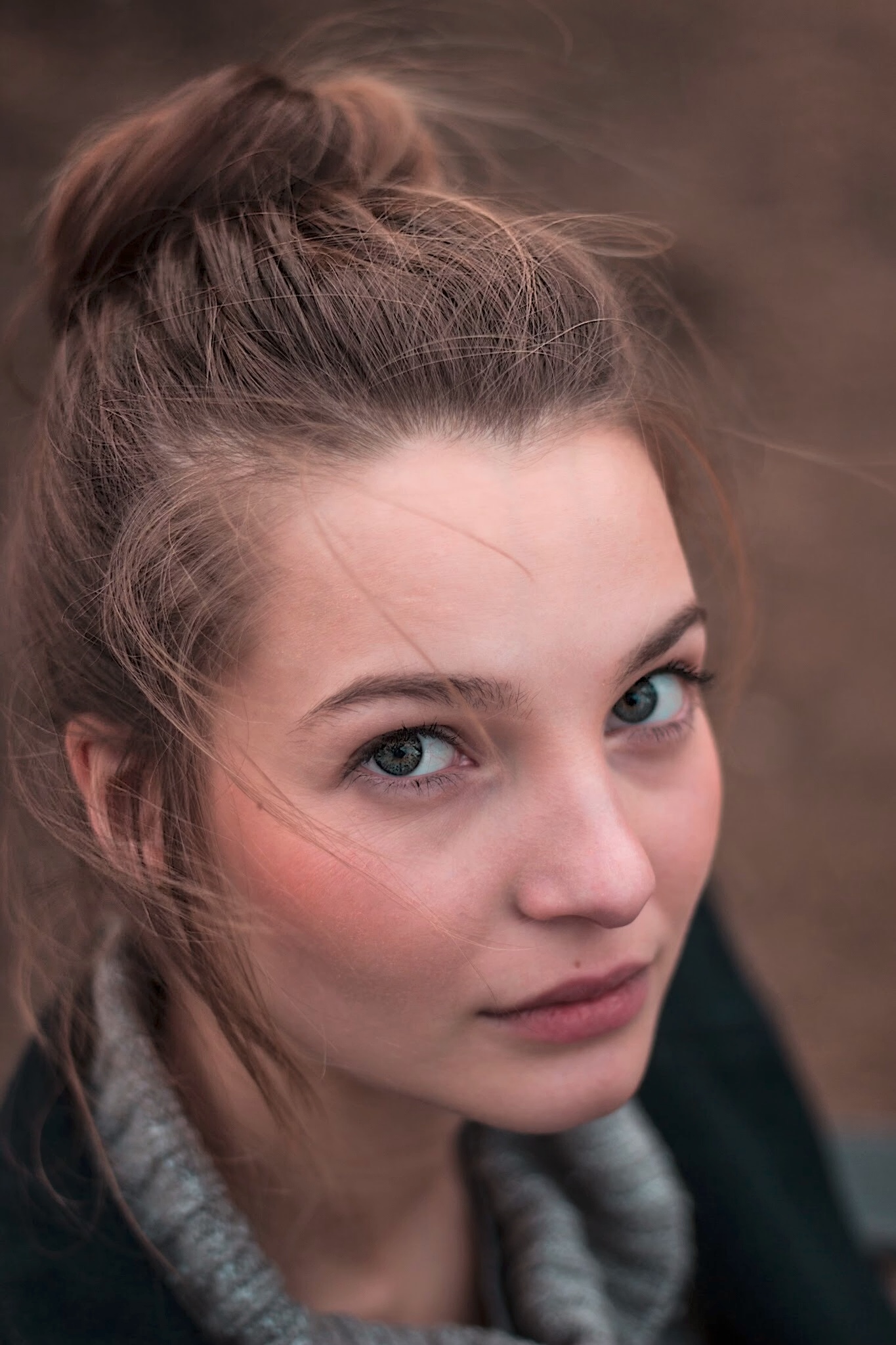
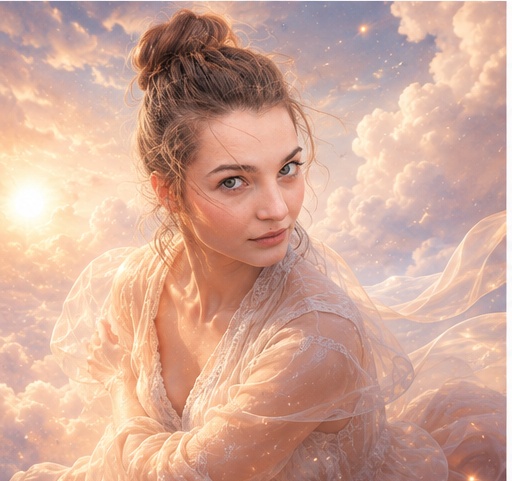
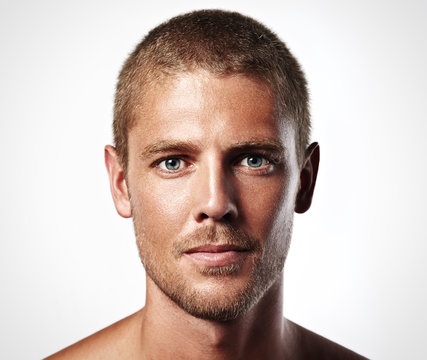
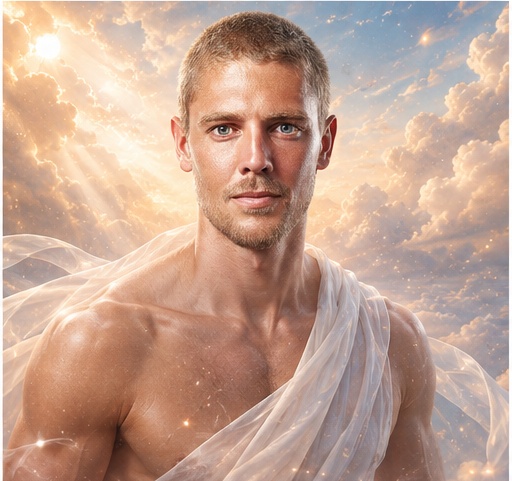
Dreamy cloud fantasy portrait before reference 1
Before reference
Dreamy cloud fantasy portrait after result 1
After result
Dreamy cloud fantasy portrait before reference 2
Before reference
Dreamy cloud fantasy portrait after result 2
After result
Dreamy cloud fantasy portrait before reference 3
Before reference
Dreamy cloud fantasy portrait after result 3
After result

What changed in the improved prompt

The improved prompt adds identity preservation, cloud placement, glowing sky light, floating fabric, subtle sparkles, pastel haze and peaceful cinematic fantasy direction. These details help the model create a complete dream scene instead of simply pasting a portrait onto clouds.

Why the weak prompt fails

The weak prompt is too broad. It does not say which facial features should stay recognizable, what kind of clouds to use, how the light should behave, or whether the final image should feel realistic, surreal, peaceful or cartoonish.

Prompt formula used here

Use this formula: uploaded portrait + identity details to preserve + fantasy environment + light source + fabric or motion detail + atmosphere + style constraints + negative prompt. This gives the image model enough structure to keep the subject recognizable while changing the world around them.

How to adapt this prompt

Change the sky color, fabric style, sparkle intensity and lighting mood. Use soft pastel clouds for a peaceful image, sunset clouds for a romantic image, or moonlit haze for a mysterious fantasy portrait. Keep the identity instructions unchanged for consistency.

Common mistakes

  • Forgetting to preserve the face, hair and expression from the uploaded portrait.
  • Using too many fantasy effects until the person gets lost.
  • Letting sparkles, haze or fabric cover the face.
  • Leaving out negative prompts for cutout edges, distorted hands and cartoon styling.

Related prompt examples

Before prompt
Put this person in the clouds.
After prompt
Transform the uploaded portrait into a dreamy cloud fantasy scene. Keep the person recognizable, preserve the main facial features, hairstyle, expression, skin tone, and outfit color cues, then place them among soft luminous clouds with glowing sky light. Add floating fabric, gentle wind movement, subtle sparkles, pastel atmospheric haze, soft rim light, peaceful surreal mood, airy depth, delicate highlights, and a calm cinematic fantasy portrait composition. Make the scene feel elegant, ethereal, and believable, not cartoonish, with the person naturally integrated into the clouds.

Analysis

The improved prompt keeps the person recognizable while defining the fantasy environment: luminous clouds, glowing sky light, floating fabric, sparkles, peaceful atmosphere and cinematic portrait composition.

Related resources