Generate Prompt

Photo to Original Superhero Portrait Before After

Compare a weak superhero request with a stronger original superhero portrait prompt that preserves identity and avoids copied costumes.

Before and after examples

These examples compare uploaded portrait references with the improved original superhero portrait results.
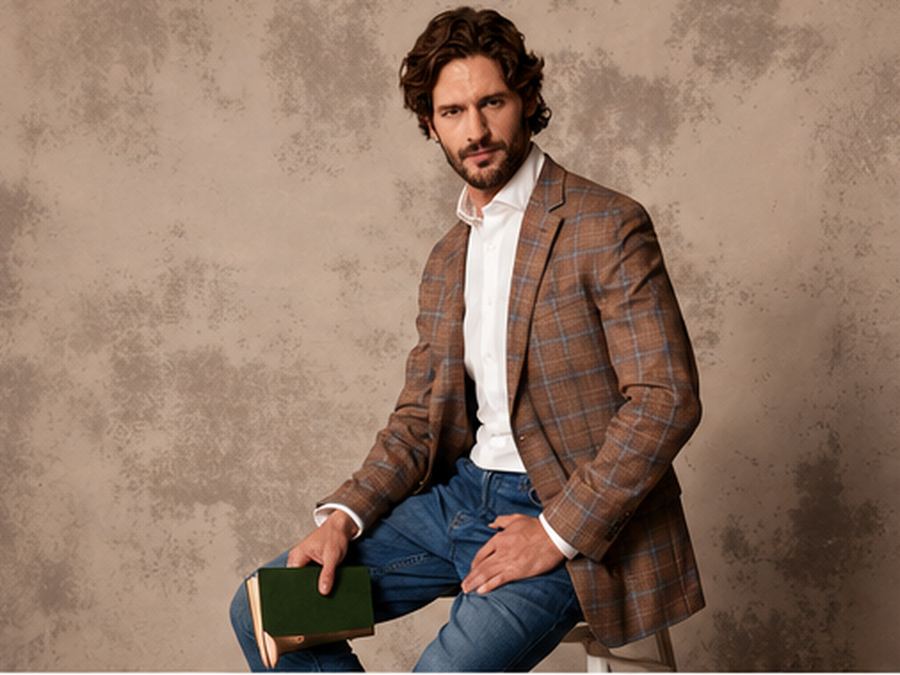
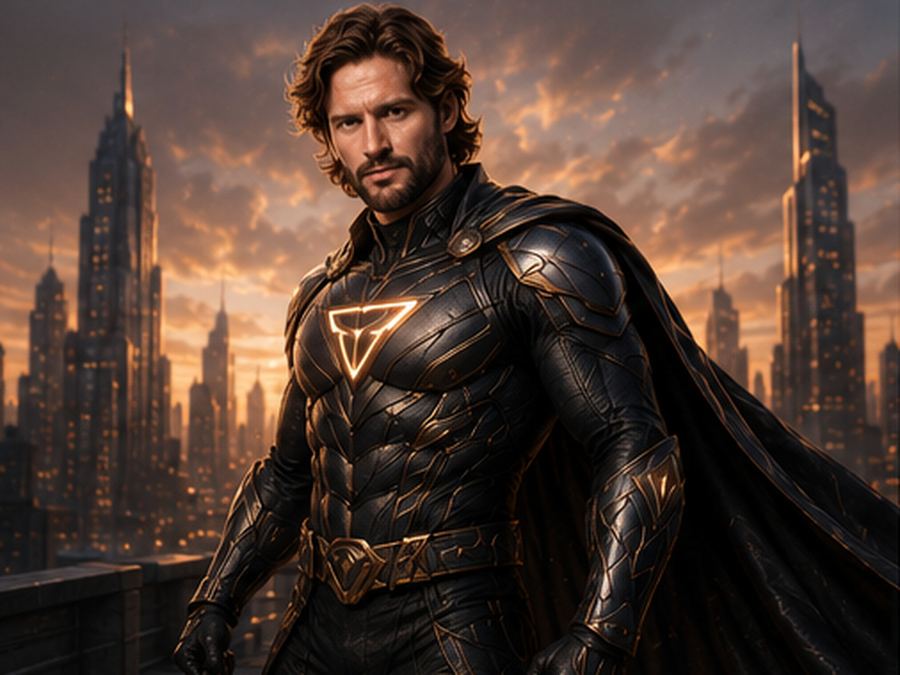
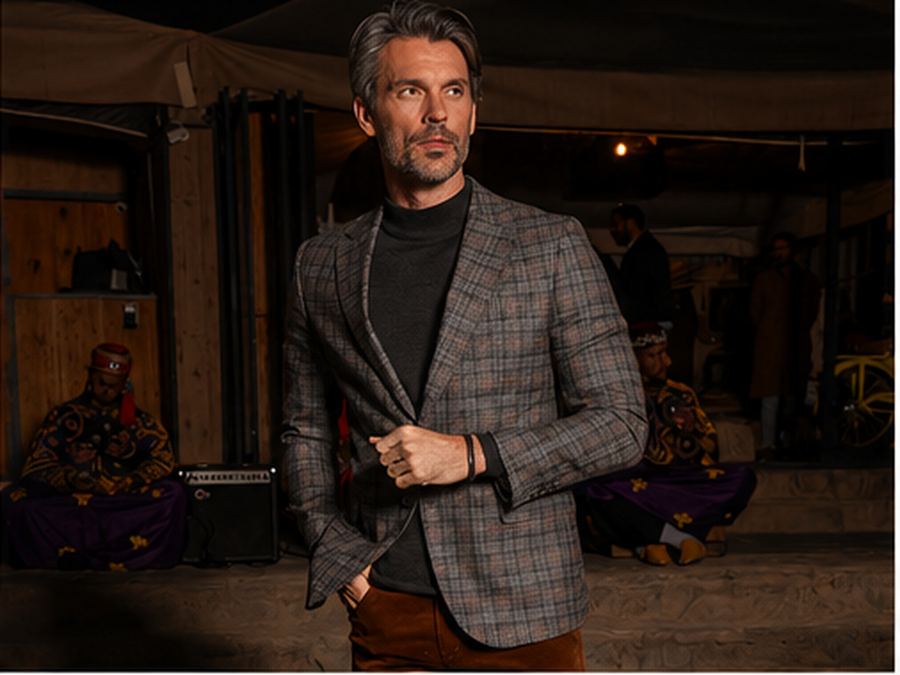
Original superhero portrait prompt source portrait example 1
Before reference 1
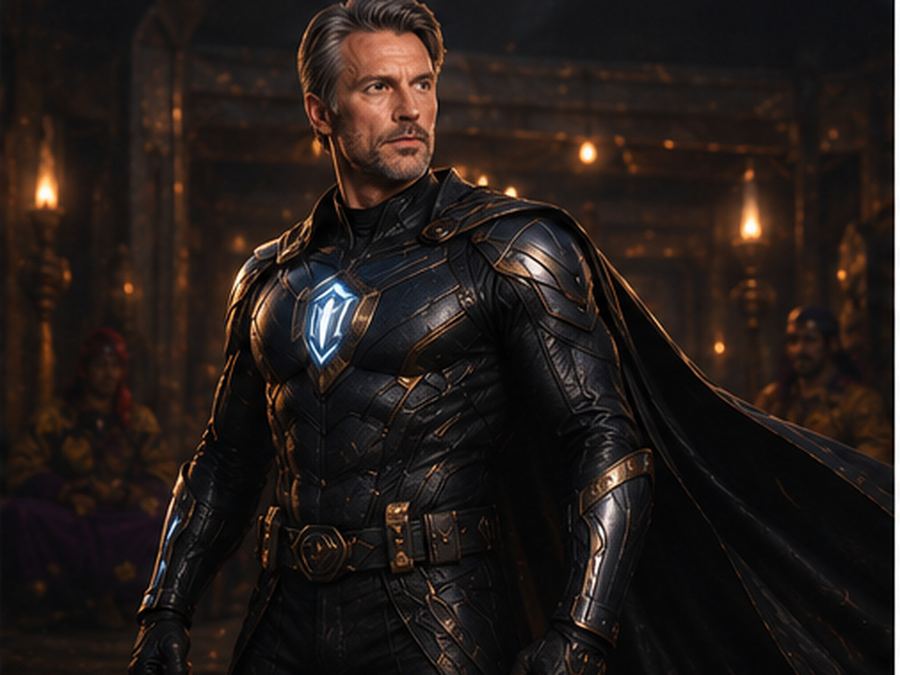
AI original superhero portrait result example 1
After result 1. This example shows how a simple portrait can become a realistic original superhero portrait while keeping the person recognizable. The improved prompt defines a custom suit, cinematic lighting, heroic posture and a believable movie-still atmosphere.
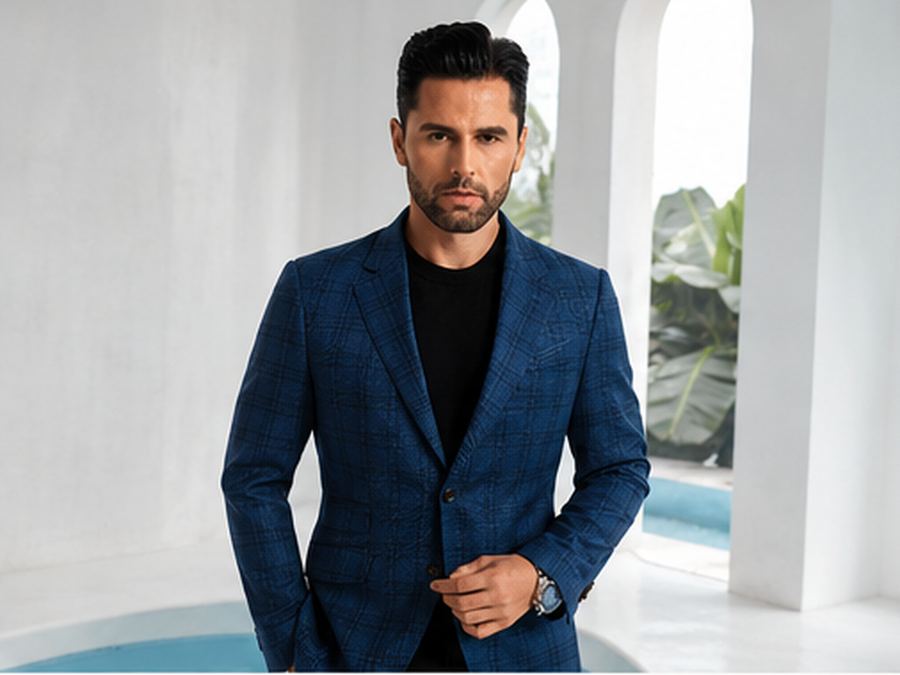
Original superhero portrait prompt source portrait example 2
Before reference 2
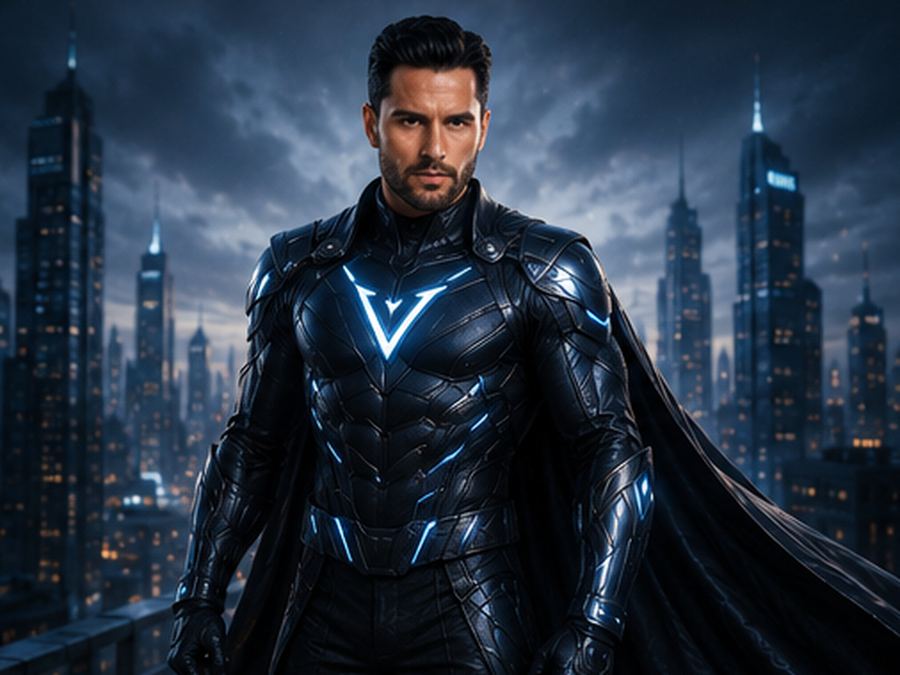
AI original superhero portrait result example 2
After result 2. The stronger prompt avoids copied costumes and copyrighted symbols by asking for a unique tactical hero design. That makes the result feel premium and original instead of looking like an existing comic-book character.
Original superhero portrait prompt source portrait example 3
Before reference 3
AI original superhero portrait result example 3
After result 3. Use the comparison to see how identity preservation, suit material details, rim lighting and negative prompt cleanup reduce distorted faces, cheap cosplay, fake logos and cartoonish results.
Before prompt
Turn this person into a superhero.
After prompt
Transform the uploaded photo into a realistic original superhero portrait. Keep the person clearly recognizable and preserve their natural facial features, hairstyle, age, skin tone, and identity. Turn them into a powerful cinematic hero with a unique custom superhero suit, not based on any existing comic-book character. Design a premium tactical superhero outfit with modern armor details, textured fabric, subtle metallic accents, glowing energy lines, a strong emblem on the chest, fitted gloves, and a dramatic cape or long coat if it looks natural. Make the person look confident, noble, brave, and powerful, with a serious heroic expression and strong posture. Place the hero in an epic cinematic environment: rooftop above a futuristic city, stormy skyline, glowing sunset, rain-soaked street, dramatic clouds, or a high-tech command room. Add dramatic rim lighting, cinematic side light, realistic shadows, wind movement in the clothing, subtle sparks or energy glow, shallow depth of field, high-detail textures, natural skin detail, and premium movie-poster atmosphere. The final image should look like a realistic big-budget superhero movie still: heroic, stylish, powerful, emotional, and believable, not cartoonish, not cosplay, and not a copy of any existing superhero.

Analysis

The improved prompt adds identity preservation, original suit design, cinematic setting, heroic posture, tactical material details and negative prompt cleanup. These details help avoid copied costumes, copyrighted symbols, cheap cosplay, distorted faces and cartoonish superhero results.

What changed in the improved prompt

The improved prompt adds the details that image models need to make consistent decisions: a clearer subject, stronger style direction, camera or composition cues, lighting, background control and quality constraints. Instead of asking for a broad image, it explains what should stay recognizable and what should change in the final result.

Why the weak prompt fails

A weak prompt often fails because it asks for an outcome without describing the visual recipe. If the model is not told about pose, framing, materials, expression, shadows or the intended style, it may create a generic image, lose important identity details, distort hands or invent background elements that do not support the idea.

Prompt formula used here

Use this formula: uploaded image or subject reference + transformation goal + recognizable details to preserve + style and mood + lighting and camera + composition + quality constraints + negative prompt. This structure works for before and after AI prompts because it separates the creative change from the details that must remain stable.

How to adapt this prompt

Replace the subject and reference details with your own image. Keep the strongest style instructions from the improved prompt, then adjust the setting, color palette, camera angle and final format. If the result becomes too stylized, add realistic texture, natural light and identity-preserving details. If the result is too plain, strengthen the style, pose or editorial direction.

Common mistakes

  • Using a short command without camera, lighting or background details.
  • Forgetting to say which facial features, product proportions or outfit colors should stay recognizable.
  • Mixing several visual styles that compete with each other.
  • Leaving out negative prompts for bad hands, distorted faces, fake text, warped logos or messy backgrounds.

Related prompt examples

The important lesson is not only the wording of the improved prompt, but the amount of visual control it gives the model. Use the weak version as a reminder of what is missing, then use the improved version as a checklist for clearer AI image prompt writing.

What is the main improvement in this before and after AI prompt?

The improved prompt gives the model clearer instructions about subject, style, lighting, composition and output quality, so the result is more controlled than the weak prompt.

Why does the weak prompt fail?

The weak prompt is usually too short or vague. It leaves the model to guess the visual style, camera angle, background, proportions and quality constraints.

Can I adapt this prompt for my own image?

Yes. Keep the prompt structure, then replace the subject, reference details, setting, lighting and style with details from your own uploaded photo or image idea.

Where can I copy the full prompt example?

Use the related prompt page for AI Original Superhero Portrait Prompt when available, or copy the improved prompt directly from this before and after example.

Related resources