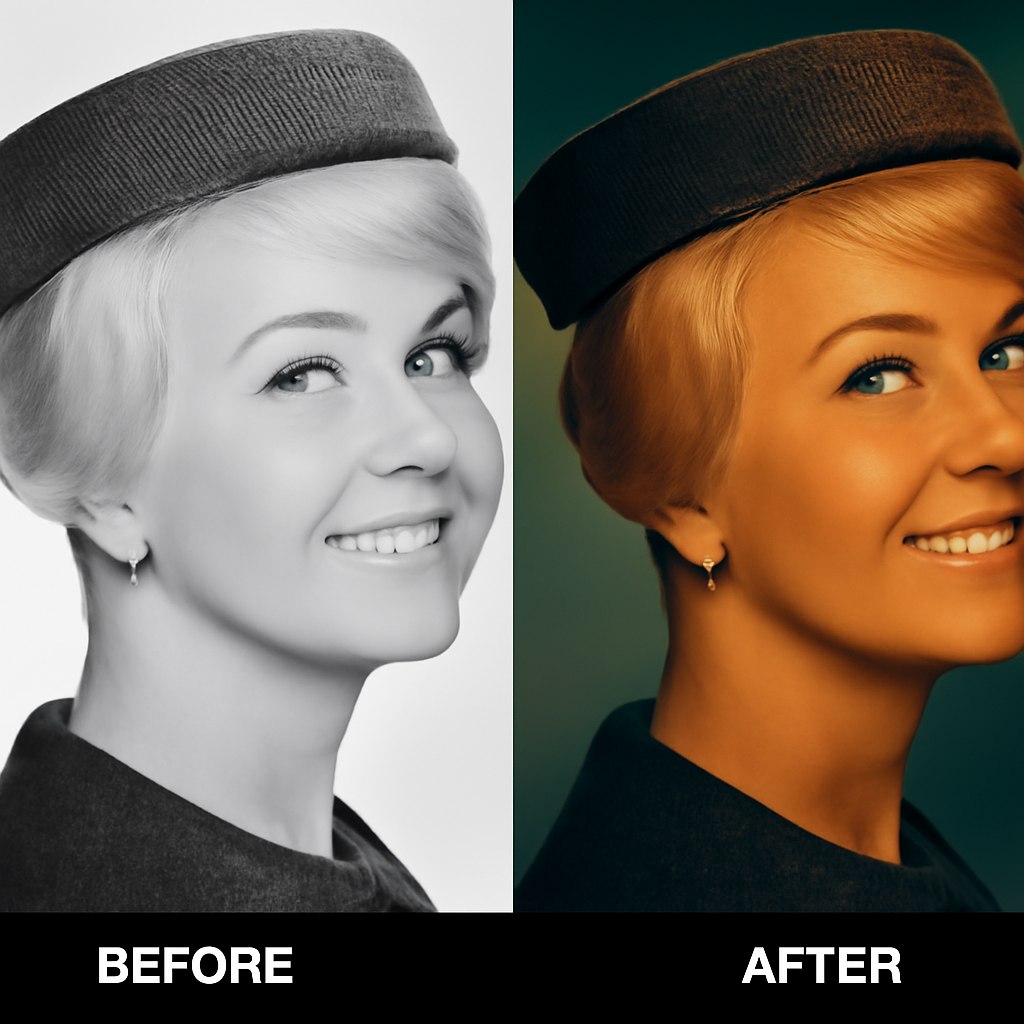
This example compares the source portrait with the generated result for the prompt. The comparison is limited to visible composition, style, and output behavior.
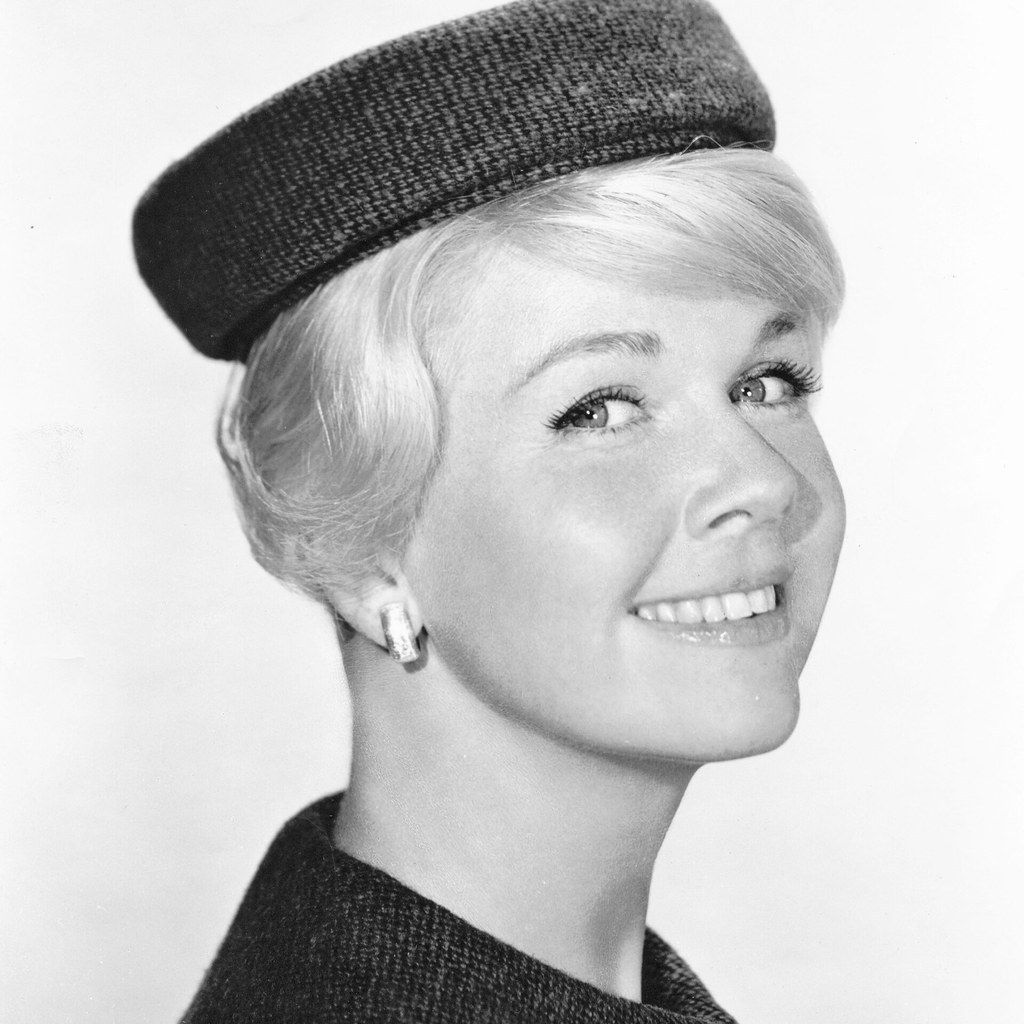
Before prompt
Source portrait example 2
After prompt
Apply cinematic color toning to the uploaded image while keeping the original subject, pose, composition, and important details intact. Add balanced contrast, controlled highlights, subtle shadow color, richer midtones, and a cohesive mood. Do not replace objects or change the identity of the scene; this should feel like professional color grading, not a new image.
Analysis
The result keeps the source as a visual reference while applying the prompt style. Review the visible framing, texture, and character treatment before reusing the prompt in production.